Category: Uncategorized

  • Air Tracker Tag for Vehicles: A Practical Guide to Apple Find My Tracking for Cars, Trucks, Motorcycles, and Equipment

    Air Tracker Tag for Vehicles: A Practical Guide to Apple Find My Tracking for Cars, Trucks, Motorcycles, and Equipment

    Introduction

    Keeping track of vehicles and equipment can be difficult when they are regularly parked in different locations, moved between work sites, or used by multiple people. Cars, trucks, motorcycles, trailers, tools, and other equipment can spend long periods away from their owner, making a simple location reference useful when it is time to find them.

    Bluetooth tracking tags offer one approach to this problem. Rather than using a conventional cellular GPS tracking service, these small devices are designed to work with a compatible smartphone ecosystem and help users locate tagged objects.

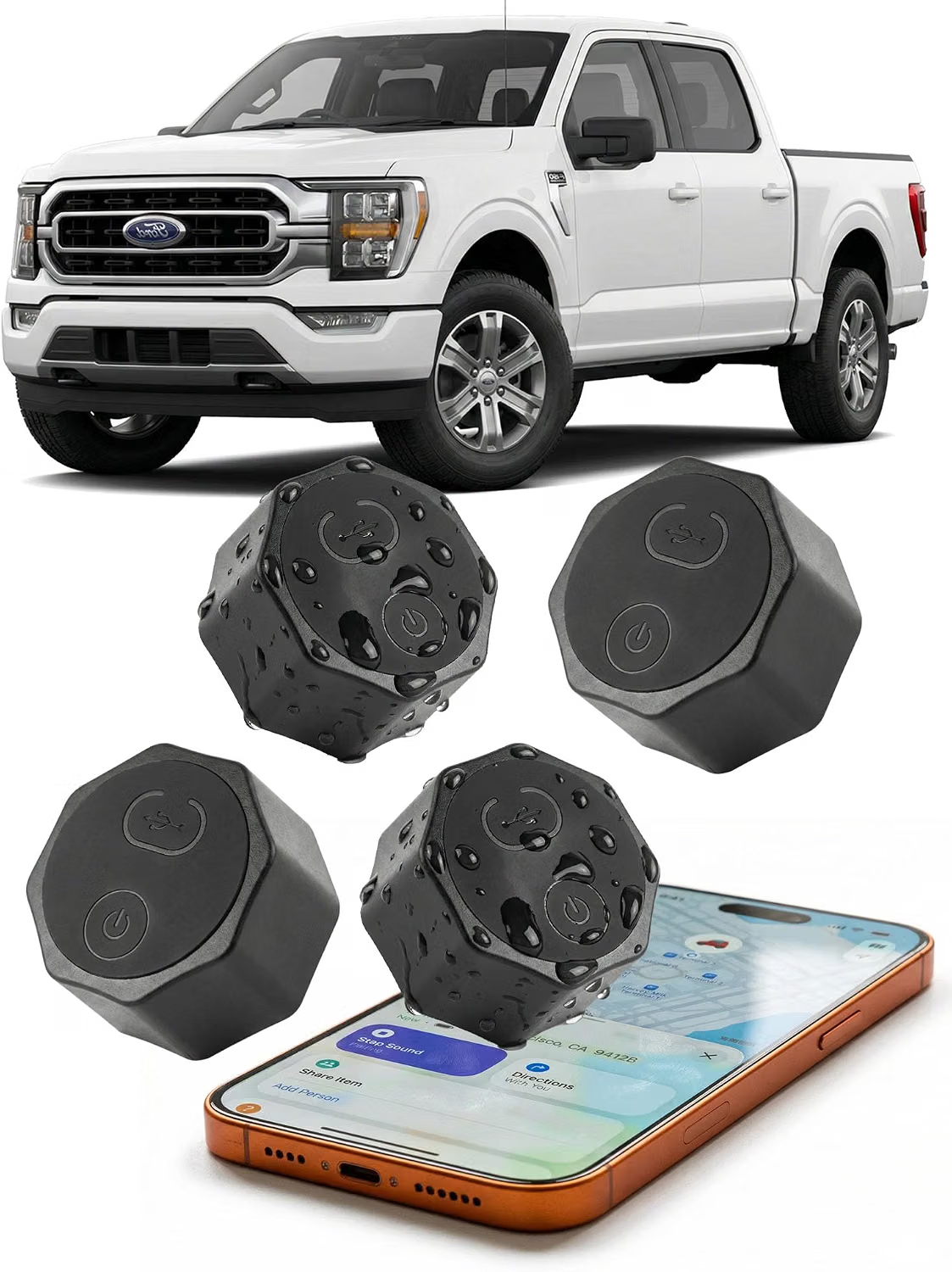
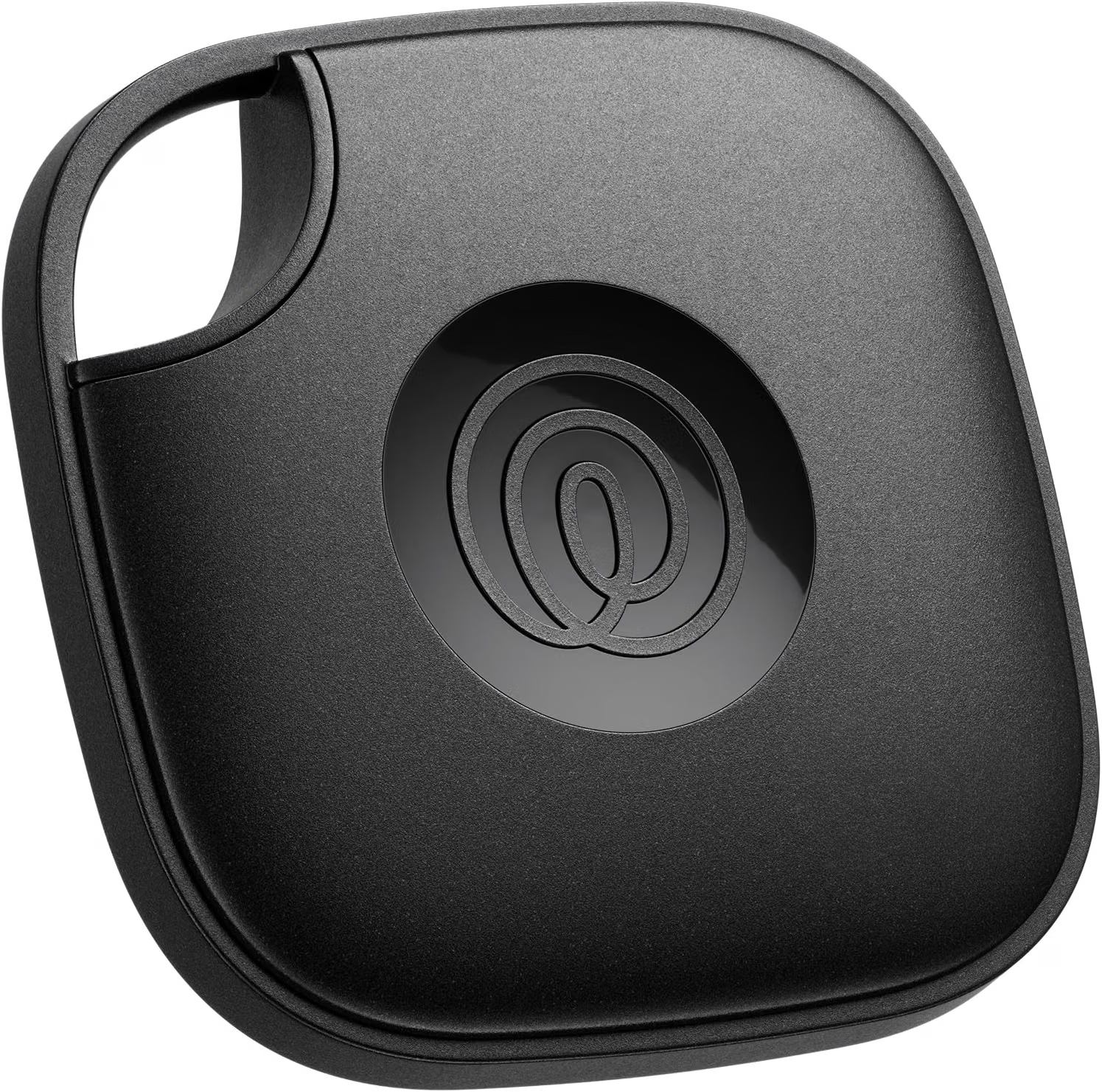
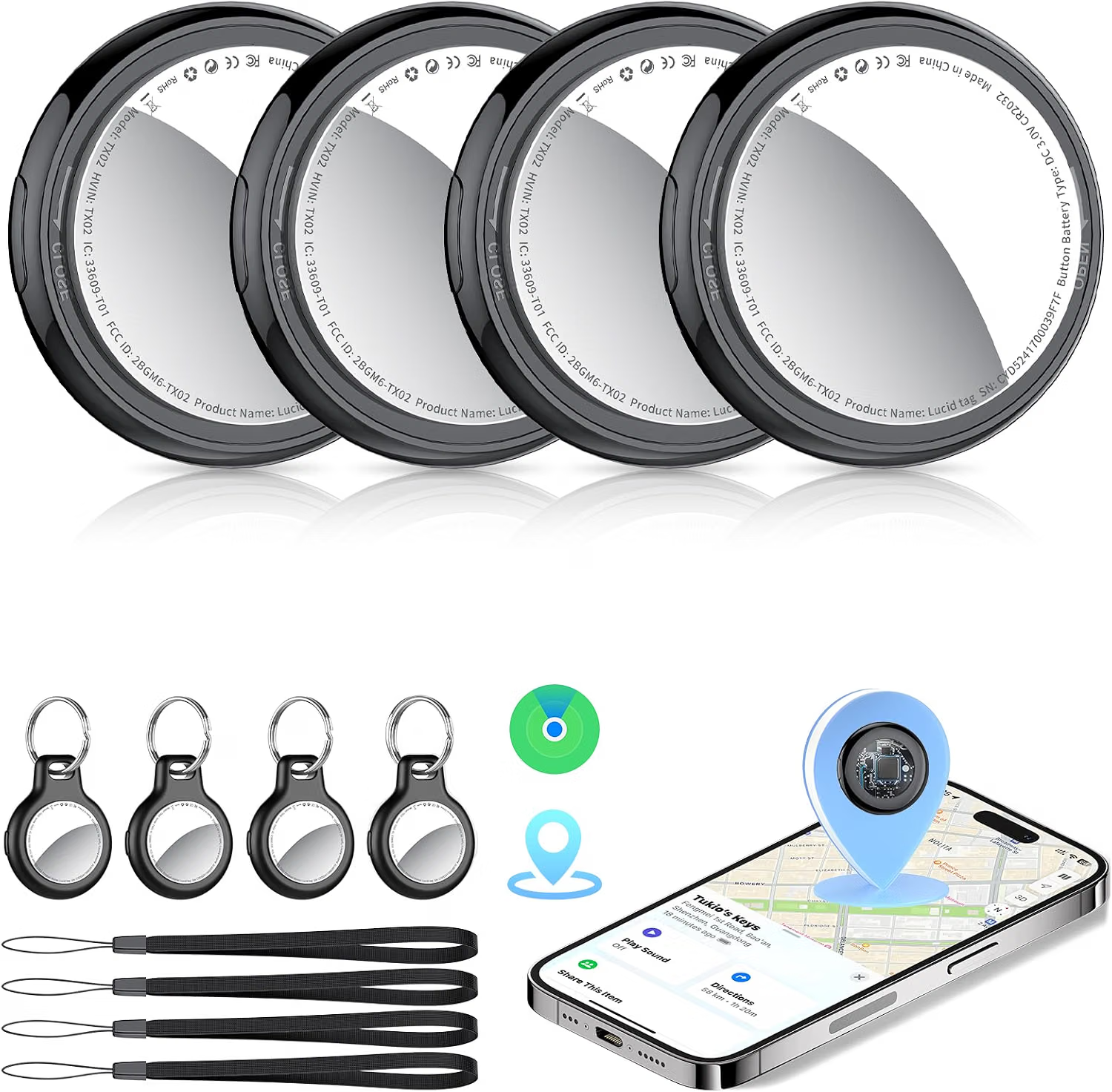
    The Air Tracker Tag Hidden Ultra Magnetic Finder for Vehicles is designed for this type of use. The product is described as a four-pack of black tracking tags that work with Apple’s Find My network and are intended for iOS users. Its listed features include a magnetic design, no monthly fee, and a claimed five-year battery life.

    These characteristics make the product particularly relevant to people who want to add tracking capability to personal vehicles or equipment without installing a traditional wired GPS tracking system.

    There is an important distinction to understand, however. A Find My-compatible Bluetooth tracker is not the same technology as a dedicated GPS vehicle tracker. It does not continuously determine its own position through GPS satellites and does not necessarily provide a live location every second. Instead, its location capabilities depend on Bluetooth communication and the participating Apple Find My network.

    That difference affects where and how the device should be used.

    For a privately owned car parked in a large parking lot, a motorcycle stored away from home, or equipment that is frequently moved between locations, a tracker can provide useful additional location information. At the same time, it should not be treated as a substitute for physical security, insurance, a professionally installed fleet-management system, or an emergency-response device.

    The product’s iOS-only compatibility is another important consideration. Users need a compatible Apple device and access to the supported Find My ecosystem. Android users should not assume that the same tracking functionality will be available.

    This guide explores the product as a vehicle and equipment tracking accessory. It explains the main features, practical applications, battery considerations, magnetic mounting, Apple Find My functionality, privacy and responsible-use issues, limitations of Bluetooth tracking, and the differences between this type of tracker and GPS-based systems.

    What Is an Air Tracker Tag for Vehicles?

    An Air Tracker Tag is a compact tracking accessory designed to help locate an attached object through Apple’s Find My ecosystem.

    The version discussed here is marketed specifically for applications such as:

    • Cars
    • Trucks
    • Motorcycles
    • Equipment
    • Other suitable personal belongings

    It is supplied as a four-pack, which allows multiple vehicles or pieces of equipment to be tracked independently.

    The product is described as an iOS-only accessory. That means its intended operation is centered around Apple’s Find My system rather than a general-purpose Android tracking application.

    The magnetic design is another distinguishing characteristic. A magnetic tracker can potentially be positioned on a suitable metal surface without requiring permanent installation.

    This can make the device easier to move between equipment or position discreetly on a compatible personal asset.

    However, “magnetic” does not mean that every surface is suitable. Aluminum, plastic, fiberglass, painted surfaces, irregular shapes, and other materials may not provide the same attachment conditions as a flat steel surface.

    Users should also follow the manufacturer’s guidance regarding where the tracker can safely be attached.

    Key Features

    Apple Find My Compatibility

    The product is designed to work with Apple’s Find My ecosystem.

    Find My provides an established environment for locating compatible Apple devices and accessories. A compatible third-party tracker can use this ecosystem to provide location information for a tagged object.

    For an iPhone user, this can make the tracker easier to incorporate into an existing Apple setup.

    The important point is that the tracker depends on supported Apple functionality. Users should follow the current product setup instructions and confirm compatibility with their specific iPhone and iOS version.

    Software requirements can change, so compatibility information should be checked before installation.

    iOS Only

    The product is explicitly described as iOS only.

    This is one of the first specifications prospective users should consider.

    Someone who uses an Android smartphone should not assume that the tracker can be configured and managed in the same way.

    An iPhone or another supported Apple device is part of the intended system.

    For households where some people use iPhones and others use Android phones, it is worth deciding in advance who will manage the tracker and its associated Find My account.

    Four-Pack Configuration

    The product comes as a four-pack.

    A multi-pack can be useful when several vehicles or pieces of equipment need location assistance.

    For example, a household could assign individual tags to a car, motorcycle, trailer, and equipment case.

    A small business owner might use separate tags for selected personal equipment, although professional fleet management may require a different type of tracking system.

    Each tracker should be clearly associated with a particular item so that the Find My app remains organized.

    Magnetic Attachment

    The tracker is designed with a magnetic mounting concept.

    This can simplify installation on suitable metal surfaces because it may not require drilling, wiring, or permanent adhesive.

    Magnetic mounting can also make it possible to remove or reposition a tracker without permanently modifying the vehicle or equipment.

    The attachment should nevertheless be tested carefully.

    A tracker attached to a vehicle may experience vibration, temperature changes, moisture, dust, and movement. A magnet that feels secure while a vehicle is stationary may not necessarily remain secure during long periods of driving.

    Users should follow the manufacturer’s mounting recommendations and periodically check the attachment.

    No Monthly Fee

    The product description identifies the tracker as having no monthly fee.

    This distinguishes it from many cellular GPS tracking systems that require a recurring data or subscription plan.

    A Bluetooth tracker based on Apple’s Find My ecosystem does not operate in exactly the same way as a cellular GPS tracker, which is one reason its ongoing service requirements can be different.

    “No monthly fee” should not be interpreted as meaning that every Apple service, device, subscription, or related feature is free in every circumstance. Users should review the current terms associated with the Apple Find My ecosystem and any services they choose to use.

    Five-Year Battery Claim

    The product is advertised with a five-year battery life.

    Long battery life can be particularly useful for a tracker attached to equipment or a vehicle because frequent charging would be inconvenient.

    A longer stated battery life can reduce maintenance requirements, but actual battery performance can vary according to operating conditions, usage, environmental temperature, battery characteristics, and other factors.

    The five-year figure should therefore be treated as the manufacturer’s stated claim rather than a guarantee that every unit will operate for exactly five years.

    Users should also verify whether the battery is replaceable and follow the manufacturer’s instructions for battery maintenance.

    Compact Vehicle-Oriented Form

    A vehicle tracking accessory needs to be small enough to attach without interfering with normal use.

    The compact form of this type of tracker allows it to be considered for vehicles and equipment where a larger GPS unit may be inconvenient.

    The tracker should never be installed where it can interfere with steering, braking, pedals, visibility, doors, engine components, safety equipment, or other critical vehicle systems.

    How It Can Be Used

    Personal Cars

    A personal car is one of the most straightforward applications.

    A tracker can provide an additional way to locate the vehicle if the owner forgets where it was parked.

    For example, after leaving a vehicle in a large parking area, the Find My system can help the user determine its available location information.

    The tracker can also be useful when a vehicle is regularly parked in different locations.

    It should not, however, be considered a replacement for a professionally installed anti-theft or vehicle-security system.

    Trucks

    Work trucks can travel between homes, offices, construction sites, and other locations.

    A tracker attached to a suitable part of a privately owned truck can provide another way to identify its location through the Find My ecosystem.

    The mounting location should be selected carefully to avoid excessive heat, water exposure, vibration, or mechanical interference.

    Motorcycles

    Motorcycles can also benefit from compact tracking accessories.

    Their smaller size and lack of enclosed storage can make conventional equipment placement more challenging.

    A magnetic tracker can provide installation flexibility when an appropriate metal mounting surface is available.

    Because motorcycles experience vibration, weather exposure, and temperature variation, attachment security should receive particular attention.

    The tracker should not be positioned where it can interfere with steering, suspension, controls, moving components, or maintenance access.

    Trailers

    Trailers can be separated from their towing vehicle and may remain parked for extended periods.

    A tracking tag can provide an additional locating mechanism for a privately owned trailer.

    Users should choose a secure mounting location that protects the device while maintaining a reliable attachment.

    Outdoor Equipment

    Equipment used outdoors can be difficult to keep track of when it moves between locations.

    Depending on the size and material of the equipment, a tracker may be attached to suitable metal surfaces.

    Possible applications can include certain tools, machinery cases, recreational equipment, or other personal assets.

    The exact suitability depends on the physical environment and the tracker’s environmental specifications.

    Storage Equipment

    A tracker can also be used for equipment stored in garages, workshops, storage units, or other locations.

    If an item is moved, the Find My ecosystem may provide updated location information when the tracker communicates with the network.

    This can be useful for people who maintain several storage locations.

    Camping and Recreational Equipment

    Owners of recreational equipment may use tracking tags as an additional organizational tool.

    For example, a tracker might be attached to a suitable equipment case, trailer, or other personal asset.

    Again, the tracker should not be treated as a security guarantee.

    Understanding Apple Find My Tracking

    The Find My system is central to understanding how this type of product works.

    A Bluetooth tracker does not normally determine its location independently using GPS.

    Instead, it communicates using Bluetooth and can use compatible devices participating in Apple’s Find My network to help report its location.

    This creates an important distinction between direct Bluetooth tracking and network-assisted location.

    When a tagged object is nearby, the owner’s compatible Apple device may be able to communicate with the tracker directly.

    When the object is farther away, another compatible Apple device participating in the Find My network may detect the tracker and relay location information through the network.

    This does not mean that the tracker continuously broadcasts a live GPS position.

    The available location information depends on network interactions and other technical conditions.

    For that reason, users should think of the tracker as an object-finding accessory rather than a conventional real-time vehicle telemetry system.

    Bluetooth Tracking vs. GPS Tracking

    This distinction is particularly important when a tracker is marketed for vehicles.

    A GPS vehicle tracker typically contains a GPS receiver and another communication method, such as cellular connectivity. It can be designed to determine and transmit the vehicle’s location independently.

    A Bluetooth tracker follows a different model.

    It is smaller and can often operate for much longer periods on a small battery, but it does not necessarily provide continuous real-time vehicle location.

    GPS tracking can be appropriate for:

    • Fleet management
    • Vehicle telemetry
    • Continuous location monitoring
    • Certain commercial applications
    • Systems requiring dedicated cellular connectivity

    Bluetooth tracking can be appropriate for:

    • Finding a parked personal vehicle
    • Locating motorcycles
    • Finding equipment
    • Tracking bags and cases
    • Recovering misplaced belongings
    • Adding another layer of awareness to personal property

    The choice depends on what type of information the user actually needs.

    Who It May Be Suitable For

    iPhone Users

    The product is primarily intended for people using compatible Apple devices.

    The iOS-only design makes Apple compatibility essential.

    Users should verify current iOS and device requirements before setup.

    Owners of Multiple Vehicles

    A four-pack can be useful for people who own or manage several personal vehicles.

    Different tags can be associated with different vehicles while being managed through the same compatible ecosystem.

    Motorcycle Owners

    A small tracker can provide another locating method for a motorcycle, particularly when it is regularly parked away from home.

    The mounting method should be carefully evaluated because motorcycles are exposed to vibration and weather.

    People With Expensive Equipment

    Equipment cases, tools, recreational equipment, and other personal assets can be difficult to monitor when moved between locations.

    A tracker can provide another source of location information.

    Travelers

    A tracker can also be used on suitable travel equipment or luggage, assuming the physical attachment and environmental conditions are appropriate.

    People Who Do Not Want a Cellular Subscription

    Users who do not need continuous GPS monitoring may prefer a Bluetooth-based approach that does not require a recurring cellular tracking plan.

    The trade-off is that the location system operates differently from a dedicated GPS device.

    Important Things to Consider

    No Monthly Fee Does Not Mean No Technology Requirements

    A tracker may not require a recurring subscription while still depending on an Apple device, software, Bluetooth, network access, and the Find My ecosystem.

    Users should understand the complete system rather than evaluating it only by whether there is a monthly charge.

    Battery Life Is an Estimate

    The advertised five-year battery life is an important product specification, but actual battery performance can vary.

    Temperature is particularly relevant to batteries. Vehicles can become extremely hot or cold depending on weather and parking conditions.

    Battery performance can also change as the battery ages.

    Users should monitor the tracker and replace the battery according to the manufacturer’s instructions if the design permits replacement.

    Magnetic Attachment Requires Care

    A magnetic mount is convenient, but it creates an important responsibility: ensuring that the tracker stays attached.

    Vehicle movement introduces vibration and acceleration that do not occur when an item is sitting on a table.

    The tracker should therefore be installed on an appropriate surface and checked periodically.

    If the tracker falls off, the location information may no longer correspond to the vehicle.

    Weather Exposure

    Vehicle-mounted accessories can encounter rain, humidity, dust, road spray, and temperature extremes.

    Users should verify the tracker’s environmental and water-resistance specifications before placing it in an exposed location.

    Do not assume that a magnetic tracker is automatically waterproof simply because it is designed for vehicle use.

    Heat

    Vehicles can become significantly hotter than the surrounding outdoor temperature when parked in direct sunlight.

    Areas near engines, exhaust components, radiators, or other heat sources can be even more demanding.

    The tracker should be placed according to its rated operating conditions.

    Avoid locations exposed to excessive heat unless the manufacturer specifically identifies them as suitable.

    Do Not Interfere With Vehicle Systems

    A tracking accessory should never interfere with the safe operation of a vehicle.

    Avoid placing it near:

    • Brake components
    • Steering components
    • Pedals
    • Airbag systems
    • Moving belts
    • Fans
    • Suspension components
    • Engine mechanisms
    • Electrical connections
    • Exhaust components
    • Driver visibility

    The tracker should be an independent accessory rather than something integrated into a critical vehicle system.

    Find My Is Not the Same as Continuous Vehicle Tracking

    This is perhaps the most important limitation.

    If the purpose is to monitor a vehicle’s movements continuously, a Bluetooth tracker may not provide the type of information required.

    A dedicated GPS/cellular solution may be more appropriate for fleet operations or applications requiring continuous location reporting.

    Network Availability

    Network-assisted location depends on participating Apple devices being available to detect the tracker.

    A tracker in a busy city may encounter more participating devices than one in a remote area.

    The system’s ability to update a location can therefore vary depending on where the tagged object is located.

    Privacy and Consent

    Tracking technology should be used responsibly.

    The appropriate application is tracking property that you own or have permission to track.

    Using a hidden tracker to monitor another person’s vehicle or movements without their knowledge can create serious privacy and legal concerns.

    The fact that a tracker can be mounted discreetly does not remove those responsibilities.

    For shared vehicles, family vehicles, employee-operated vehicles, or borrowed equipment, users should consider applicable laws, organizational policies, and the expectations of the people involved.

    Theft Recovery Expectations

    A tracker may provide useful location information if a vehicle or item goes missing, but it should not be viewed as a guaranteed theft-recovery system.

    Location information may be delayed, unavailable, or inaccurate for practical reasons.

    If a tracker provides information about a potentially stolen vehicle, users should avoid confronting suspected individuals themselves and should contact the appropriate authorities.

    Regional and Software Availability

    Apple’s Find My functionality and compatible accessory support can depend on device software and regional factors.

    Users should verify the current requirements before relying on the tracker for an important application.

    Vehicle Tracking vs. Equipment Tracking

    The product’s four-pack format makes it suitable for thinking about tracking as a broader asset-management tool.

    A household could use four tags for four different categories.

    For example:

    Tag 1: Primary vehicle
    Tag 2: Motorcycle
    Tag 3: Trailer
    Tag 4: Equipment case

    This creates a simple organizational system.

    For larger collections of commercial equipment, however, consumer Bluetooth trackers may not provide enough information. Businesses may require systems with asset databases, cellular connectivity, GPS reporting, geofencing, maintenance records, and administrative controls.

    The scale of the tracking problem should therefore determine the technology.

    Air Tracker Tag vs. Dedicated GPS Vehicle Tracker

    A dedicated GPS tracker is designed specifically for location monitoring.

    It may provide features such as:

    • GPS positioning
    • Cellular communication
    • Location history
    • Geofencing
    • Movement alerts
    • Continuous or scheduled reporting

    The exact features depend on the product.

    The trade-off is that GPS systems can require charging, wiring, cellular service, or recurring fees.

    A Bluetooth Find My-compatible tracker is generally simpler.

    It can operate as an accessory without being wired into the vehicle and may have a substantially longer battery life.

    The two categories are therefore designed around different priorities.

    Air Tracker Tag vs. Traditional Anti-Theft Device

    An anti-theft system is intended to deter unauthorized access or help prevent a vehicle from being operated without authorization.

    A tracking tag does something different.

    It provides location information.

    A tracker does not physically prevent someone from entering or moving a vehicle.

    For vehicle security, tracking and physical or electronic anti-theft measures can serve separate purposes.

    Air Tracker Tag vs. Smartphone Find My

    Apple’s Find My service can locate certain Apple devices directly.

    A vehicle or equipment case generally does not have an Apple operating system of its own.

    A compatible tracker effectively gives an otherwise offline object a connection to the Find My ecosystem.

    That is why a small tracking tag can be useful for belongings that cannot run the Find My application themselves.

    Air Tracker Tag vs. Traditional Key Finder

    A basic key finder may use a local Bluetooth connection and a companion application.

    A Find My-compatible tracker can potentially benefit from Apple’s broader network of participating devices.

    The trade-off is that the tracker becomes dependent on Apple’s ecosystem and iOS compatibility.

    For users already invested in Apple devices, that ecosystem may be convenient. For Android users, another tracking platform may be more appropriate.

    Practical Installation Considerations

    Before attaching a tracker to a vehicle, identify the type of surface available.

    A flat metal surface may provide a better magnetic attachment than plastic or composite body panels.

    Consider exposure to water, heat, vibration, road debris, and maintenance activities.

    Avoid locations where mechanics may routinely remove components or where the tracker could fall into a moving part.

    After installation, test the connection while the vehicle is stationary.

    If the tracker is intended to remain attached for a long period, periodically inspect the attachment.

    This is especially important after severe weather, long-distance travel, or maintenance work.

    Creating a Multi-Asset Tracking Routine

    A four-pack can be more useful when the tags are organized systematically.

    Give each tracker a clear name that describes the associated asset.

    For example:

    • Family Car
    • Motorcycle
    • Trailer
    • Workshop Equipment

    Avoid vague names that make it difficult to identify which tracker corresponds to which object.

    If an item is sold, transferred, or replaced, remove the old association from the tracking system and configure the replacement appropriately.

    Maintaining a clean digital list can prevent confusion over time.

    Travel and Long-Term Storage

    If a vehicle or piece of equipment will remain unused for several months, the tracker can potentially provide useful additional location awareness.

    However, long-term storage creates special considerations.

    Check battery condition before storage.

    Consider whether the storage location provides suitable environmental conditions.

    If the item is stored inside a metal structure or underground facility, Bluetooth and network-based communication may behave differently.

    A tracker should not be relied upon as the only method of monitoring long-term stored property.

    Responsible Use of Hidden Tracking Technology

    The word “hidden” in a product description deserves careful consideration.

    A small tracker can be positioned discreetly on one’s own property, which can be useful for protecting the appearance of a vehicle or avoiding accidental removal.

    However, discreet placement does not make secret tracking of other people acceptable.

    Tracking a partner’s, employee’s, neighbor’s, or another person’s vehicle without appropriate knowledge or authorization can create significant privacy concerns and may violate local law.

    The safest approach is to use the tracker for property you own or have clear permission to track.

    If a vehicle is shared by multiple people, transparency is preferable.

    Frequently Asked Questions

    What is an Air Tracker Tag for vehicles?

    It is a compact Bluetooth tracking accessory designed to help locate compatible personal property through Apple’s Find My ecosystem.

    Does it work with Android?

    The product is described as iOS only. Android users should not assume that the same functionality is supported.

    Does it work with Apple Find My?

    Yes, the product is designed to work with Apple’s Find My ecosystem. Users should follow the current setup instructions and verify compatibility with their Apple device and software.

    How many trackers are included?

    The product is offered as a four-pack, allowing four separate assets to be assigned individual tracking tags.

    Is the tracker a GPS device?

    It should not be treated as a conventional GPS tracker. It is designed around Bluetooth communication and Apple’s Find My network rather than continuous GPS positioning.

    Can it provide real-time vehicle tracking?

    A Find My-compatible Bluetooth tracker should not be considered a continuous real-time vehicle tracking system. Location updates depend on Bluetooth communication and supported network interactions.

    What is the claimed battery life?

    The product is advertised with a five-year battery life. Actual battery performance can vary depending on operating conditions, temperature, usage, and battery characteristics.

    Does the tracker require a monthly subscription?

    The product description identifies it as having no monthly fee. Users should still consider the requirements of the Apple ecosystem and verify current service terms.

    Can the tracker be attached to a car?

    It is marketed for vehicle applications such as cars and trucks. The magnetic attachment should be placed on a suitable surface and secured according to the manufacturer’s instructions.

    Can it be used on a motorcycle?

    It is marketed for motorcycle applications. Because motorcycles experience vibration and weather exposure, users should pay particular attention to secure mounting and environmental specifications.

    Can it be used on equipment?

    Yes. The product is also described for equipment tracking. The equipment should provide a suitable location for secure attachment and remain within the tracker’s environmental limits.

    Is magnetic mounting permanent?

    No. Magnetic attachment is generally intended to allow the tracker to be positioned without permanent modification. Users should still verify that the attachment remains secure under real-world conditions.

    Can the tracker be placed anywhere on a vehicle?

    No. The location should be selected carefully. Avoid areas involving excessive heat, moving components, steering, braking, airbags, electrical systems, exhaust components, or other critical vehicle functions.

    Can the tracker work inside a garage?

    It may, depending on the location, materials, and network conditions. Metal structures and other physical barriers can affect wireless communication.

    What happens if the tracker moves outside Bluetooth range?

    Direct communication with the owner’s device may no longer be available. The Find My ecosystem can potentially provide updated location information when participating devices detect the tracker, but this is not guaranteed.

    Can the tracker guarantee recovery of a stolen vehicle?

    No. A tracker cannot guarantee recovery. It can potentially provide useful location information, but network availability, battery condition, communication, and other factors can affect what information is available.

    Can I use the tracker to monitor another person’s vehicle secretly?

    The appropriate use is tracking property that you own or have permission to track. Secretly monitoring another person’s movements can raise serious privacy and legal concerns.

    Is a Bluetooth tracker better than a GPS tracker?

    The two technologies serve different purposes. Bluetooth trackers are generally suited to finding personal belongings and providing network-assisted location information, while GPS/cellular trackers can be designed for more continuous vehicle monitoring.

    Is the five-year battery life guaranteed?

    No. It is an advertised battery-life claim. Actual performance can vary with environmental conditions, usage, battery characteristics, and other factors.

    Does a magnetic tracker work on aluminum?

    Magnetic attachment depends on the material and surface. Aluminum is not ferromagnetic, so a magnet generally will not attach to it in the same way it attaches to steel. Users should identify a suitable mounting surface before installation.

    Should I rely on this tracker as my only vehicle security measure?

    No. A tracker provides locating information rather than physical theft prevention. Appropriate locks, alarms, immobilizers, insurance, and other security measures can serve different purposes.

    Conclusion

    The Air Tracker Tag Hidden Ultra Magnetic Finder is designed around a straightforward concept: adding Bluetooth-based location assistance to personal vehicles and equipment through Apple’s Find My ecosystem.

    Its four-pack format allows multiple assets to be tracked independently, while the magnetic design can simplify installation on suitable metal surfaces. The product is also marketed with no monthly fee and a claimed five-year battery life, characteristics that may appeal to users who want a low-maintenance tracking accessory rather than a permanently wired GPS system.

    The iOS-only limitation is an important part of the product’s design. Users need a compatible Apple device and should verify current software requirements before setup. The tracker is intended to work with Find My rather than functioning as an independent GPS device.

    That distinction is particularly important for vehicle applications.

    A Bluetooth Find My tracker can be useful for locating a parked car, motorcycle, trailer, bag, or equipment item. It can provide location information when the tracker communicates with a nearby compatible device or when the broader Find My network detects it. However, it should not be interpreted as a continuous real-time GPS monitoring system.

    For applications such as commercial fleet management, continuous vehicle monitoring, geofencing, or detailed driving histories, a dedicated GPS/cellular tracking system may be more appropriate.

    Physical installation also deserves attention. A magnetic attachment can be convenient, but vehicle vibration, weather, heat, road conditions, and surface material can all affect how securely the tracker remains attached. The device should be installed away from critical vehicle systems and checked periodically.

    Battery life is another useful consideration. The advertised five-year lifespan could reduce maintenance compared with devices that require frequent charging, but real-world battery performance can vary. Users should follow the manufacturer’s battery guidance and pay attention to environmental conditions, particularly when a tracker is installed on a vehicle.

    Finally, privacy should remain central when using any discreet tracking technology. The appropriate application is tracking one’s own property or property for which there is clear authorization. A small tracker should not be used as a covert way of monitoring another person’s movements.

    Used within those boundaries, a Find My-compatible vehicle and equipment tracker can provide an additional layer of location awareness without requiring the complexity of a conventional cellular GPS installation. For iPhone users who want to track several personal assets and understand the differences between Bluetooth network tracking and true GPS monitoring, this type of accessory can be incorporated into a broader approach to personal property organization and security.
    You can check more details on Amazon here.

  • Life360 Tile Bluetooth Tracker: A Practical Guide to Finding Keys, Bags, and Everyday Items

    Life360 Tile Bluetooth Tracker: A Practical Guide to Finding Keys, Bags, and Everyday Items

    Introduction

    Misplacing everyday belongings is a surprisingly common problem. Keys can disappear between the front door and the kitchen, a backpack can be left in another room, and a wallet may end up somewhere completely different from where it was expected to be. When these situations happen repeatedly, even a few minutes of searching can become frustrating.

    A Bluetooth tracker provides another way to approach the problem. Instead of depending entirely on memory, users can attach a small electronic tracker to an item and use a compatible smartphone to help locate it.

    The Life360 Tile Bluetooth Tracker is designed for this purpose. The product is intended for locating everyday belongings such as keys, bags, wallets, and other items that are easy to misplace. It works with both iOS and Android devices through the Tile/Life360 ecosystem, making it different from trackers designed exclusively for one smartphone platform. Life360 currently lists its Tile trackers as compatible with supported iOS and Android devices, with current compatibility requirements including iOS 16 or newer and Android 9 or newer for officially supported devices.

    The tracker is based on Bluetooth rather than GPS. This distinction is important. A Tile does not independently determine its position using GPS or provide continuous real-time location monitoring. Instead, it communicates with a compatible device over Bluetooth, and the associated app can show the last known location or help locate the item when the tracker is within Bluetooth range.

    The broader Tile and Life360 ecosystem can also provide additional ways to locate an item when it is no longer directly connected to the owner’s phone. Features such as the Tile Network and “Notify When Found” can allow location information to be refreshed when participating devices encounter the lost tracker.

    This makes a Bluetooth tracker useful for everyday objects, but it should not be treated as a guaranteed recovery system or as a replacement for a GPS tracker.

    This guide explains how the Life360 Tile works, where it can be useful, what its limitations are, how it compares with other tracking technologies, and what users should consider before incorporating it into their everyday organization routine.

    What Is the Life360 Tile Bluetooth Tracker?

    The Life360 Tile is a compact Bluetooth tracking device designed to help users locate physical belongings.

    The basic concept is straightforward:

    1. Attach the Tile to an item.
    2. Pair it with a compatible smartphone through the supported app.
    3. Give the item an identifiable name within the system.
    4. Use the app when the item is missing.
    5. If the Tile is within Bluetooth range, use the available locating functions to help find it.
    6. If it is outside direct range, use supported last-location or network-based features when available.

    The Tile does not need to contain a GPS receiver to perform its primary function.

    Instead, it relies on Bluetooth communication and the broader Tile network.

    Life360 explains that Tile trackers use Bluetooth to connect with the Tile app and that they do not have GPS or real-time location monitoring. The location shown in the app represents where the Tile was located the last time it successfully connected with the user’s device or the supported network.

    That design makes a tracker like this particularly suitable for everyday objects.

    Keys, wallets, backpacks, luggage, and similar belongings generally do not need continuous GPS monitoring. They simply need to be easier to find when they have been misplaced.

    Key Features

    Bluetooth Item Tracking

    Bluetooth is the core technology behind the Tile.

    When the tracker is within the appropriate Bluetooth range of the user’s compatible device, the app can establish a connection with the Tile.

    This connection can then be used for locating functions such as making the Tile produce a sound.

    The practical range depends on the environment. Life360 currently lists different Tile models with Bluetooth ranges from approximately 250 feet to 500 feet, depending on the model. The current standard Tile model is listed with a range of up to 350 feet.

    A published range should not be interpreted as a guarantee that the same distance will work in every environment.

    Walls, floors, furniture, metal structures, electronic interference, and the position of the phone and tracker can all influence wireless communication.

    For an indoor search, the actual useful range may therefore be different from the maximum published figure.

    iOS and Android Compatibility

    One of the notable characteristics of the Life360 Tile ecosystem is cross-platform support.

    Unlike an iOS-only tracker, the Tile system is designed to work with both supported iPhones and Android smartphones.

    Life360’s current compatibility information lists iOS devices running iOS 16 or newer and Android devices running Android 9 or newer among its supported platforms. Specific device support can vary, so users should check the current compatibility list before setup.

    This can be particularly useful in households where family members use different smartphone operating systems.

    For example, one person may use an iPhone while another uses a Samsung Galaxy device. A cross-platform tracker can make shared item tracking easier without requiring everyone to use the same type of phone.

    Item Locator Functions

    The Tile can be attached to an object and then represented within the supported app.

    When the item is missing, the app can be used to locate it when the tracker is within Bluetooth range.

    Life360 identifies several Tile functions, including ringing the Tile from the app, viewing its last known location, and using network-based locating features.

    The sound function is particularly useful for objects that are nearby but visually hidden.

    A set of keys underneath a sofa cushion is a good example. The keys may be only a few feet away, but finding them manually can still take time.

    The tracker can provide an audible clue.

    Find My Phone Function

    The Tile can also work in the opposite direction.

    According to Life360’s documentation, compatible Tile models can use the Tile’s button to ring the user’s phone through a double-press.

    This creates a two-way convenience:

    Phone → Tile: Use the phone to help find the tagged item.

    Tile → Phone: Use the Tile to help locate the phone.

    The second function can be particularly useful when the phone has been misplaced somewhere nearby.

    Last Known Location

    When a Tile is no longer within direct Bluetooth range, the app can retain information about where it was last successfully connected.

    Life360 explains that the location displayed is the location where the Tile last successfully communicated with the user’s device or supported Tile network.

    This is important because the map should not be interpreted as a continuously updated GPS position.

    If a tracker was last detected at a particular location and subsequently moved somewhere without another successful connection, the displayed location may remain unchanged.

    Understanding this distinction prevents unrealistic expectations.

    Tile Network

    The Tile ecosystem can extend beyond the user’s own smartphone.

    When the “Notify When Found” feature is enabled, Life360 says that members of the Tile Network can anonymously help update the location of a Tile when their compatible devices encounter it.

    This creates a community-based locating system.

    For example, a lost bag may be outside the Bluetooth range of its owner’s phone. If another participating device comes within range of the Tile, the network can potentially update its location.

    The effectiveness of this feature depends on the presence of participating devices and the circumstances surrounding the lost item.

    It should therefore be viewed as an additional locating mechanism rather than a guarantee.

    Compact Design for Everyday Belongings

    A Bluetooth tracker needs to be small enough that it does not make the tagged object inconvenient to carry.

    Tile trackers are designed around common belongings such as keys, bags, and wallets. Life360 specifically describes Tile as a Bluetooth tracker for everyday essentials and lists items such as keys, bags, and wallets among its intended applications.

    The physical attachment method depends on the particular Tile model.

    The standard Tile model includes a built-in keyring-style attachment point, making it particularly suitable for keys, bags, and other items that can accept a loop or ring.

    How It Can Be Used

    Finding House Keys

    Keys are one of the most straightforward applications for a Bluetooth tracker.

    Many people have a consistent routine for entering and leaving their home but may place their keys somewhere different each time.

    A Tile can provide an alternative to searching room by room.

    If the keys are within Bluetooth range, the user can initiate the locating function and listen for the tracker’s sound.

    This is particularly useful when the keys are hidden under clothing, inside a bag, between furniture cushions, or in another nearby location.

    Finding a Wallet

    Wallets are often misplaced because they are relatively small and may be moved between pockets, bags, desks, and counters.

    A tracker can provide another way to locate a wallet.

    The physical design should be considered carefully. A standard keyring-style tracker is more suitable for items that can accommodate a loop than for objects where a flat, unobtrusive tracker is required.

    For thin items such as wallets, a different Tile form factor, such as a card-style tracker, may be more appropriate.

    Tracking a Backpack

    A backpack can travel through many environments during the day.

    It may go from home to work, school, a gym, a café, or a vehicle.

    Attaching a Tile can provide an additional way to identify its location if it is accidentally left behind.

    The tracker does not eliminate the need for normal care, but it can provide useful information when memory is uncertain.

    Luggage

    Travel is another practical application.

    A tracker can be attached to luggage before leaving home and then used as an additional way to monitor the bag’s location.

    If luggage is separated from the traveler, the Tile ecosystem may provide last-location or network-based information depending on connectivity and available participating devices.

    It is important to remember that the Tile is not an official airline baggage-tracking system.

    Travelers should still use airline baggage identification and follow the carrier’s procedures if luggage is delayed or missing.

    Laptop and Computer Bags

    Work bags often contain expensive equipment and important documents.

    A Tile attached to the bag can provide another layer of locating information.

    The tracker does not protect the contents or prevent theft, but it may help identify where the bag was last detected.

    For security-sensitive equipment, users should also use appropriate passwords, device encryption, account protection, and other security measures.

    Camera Bags

    Photography equipment can be transported between studios, homes, events, and outdoor locations.

    A tracker attached to the camera bag can provide a convenient way to monitor the bag itself without attaching individual trackers to every item inside it.

    Gym Bags

    Gym bags are often left in lockers, vehicles, or changing areas.

    A tracker can make it easier to determine where the bag was last detected if it is accidentally left somewhere.

    Frequently Misplaced Household Items

    A tracker does not have to be limited to keys and bags.

    Depending on how it can be securely attached, it may also be useful for:

    • Tool bags
    • Musical instrument cases
    • Travel cases
    • Remote-control accessories
    • Equipment bags
    • Frequently moved household items
    • Pet accessories

    The main requirement is that the tracker should be attached securely and used in a manner consistent with the manufacturer’s instructions.

    Understanding How Tile Location Works

    The most important concept to understand is that Tile is not GPS.

    Life360 explicitly states that Tile does not provide real-time GPS tracking. Instead, it uses Bluetooth and updates location information when communication occurs with a compatible device or the Tile Network.

    Consider a simple example.

    You attach a Tile to your backpack.

    At home, your phone connects to the Tile. The app therefore knows where the backpack was last detected.

    You then leave the backpack at a café.

    Once the backpack moves outside the direct Bluetooth range of your phone, your phone can no longer directly communicate with the Tile.

    If another compatible device participating in the Tile Network encounters the backpack, the network may update its location.

    If no participating device encounters it, the app may continue showing the last known location.

    This explains why a Tile should not be treated like a continuously transmitting GPS tracker.

    Bluetooth Range and Real-World Conditions

    Wireless range specifications can be useful when comparing devices, but they should always be interpreted carefully.

    Life360 currently lists the standard Tile model with a maximum range of up to 350 feet, while other Tile models have different stated ranges.

    That maximum range is not necessarily the same as the range a user will experience inside a house.

    A home may contain:

    • Multiple walls
    • Concrete floors
    • Metal structures
    • Furniture
    • Electronic devices
    • Doors
    • Appliances

    All of these can affect wireless communication.

    Outdoor environments can provide different conditions, but distance and physical obstructions can still matter.

    For practical purposes, the tracker should be considered a short-range Bluetooth device with network-assisted locating capabilities rather than a long-distance real-time locator.

    Who It May Be Suitable For

    iPhone Users

    iPhone users can integrate the tracker into a supported Tile/Life360 setup.

    The current compatibility requirements should be checked because supported operating-system versions can change. Life360 currently lists iOS 16 and newer for supported iPhones and compatible Apple devices.

    Android Users

    Android compatibility is one of the useful aspects of the Tile ecosystem.

    Life360 currently lists Android 9 or newer among its supported requirements, with specific supported device families identified in its compatibility documentation.

    Users should verify their exact phone model before setup.

    Mixed-Device Households

    A family that uses both Android and iPhone devices can benefit from a tracking ecosystem that supports both platforms.

    This can simplify shared access to tracked items.

    Frequent Travelers

    People who regularly carry luggage, backpacks, equipment bags, or other travel items may appreciate having a tracking layer available.

    The Tile can complement traditional luggage tags and travel procedures.

    People Who Frequently Misplace Items

    The simplest use case is everyday organization.

    If keys, wallets, bags, or other possessions regularly disappear around the home, a tracker can provide a systematic way to search for them.

    Families Using Life360

    People already using Life360 may find the ability to combine people-oriented and item-oriented information useful.

    Life360 explains that Tile accounts can be linked to Life360 so Tiles can appear within the Life360 environment.

    This can create a more unified view of household members and tracked belongings, subject to the features and account configuration available to the user.

    Important Things to Consider

    It Is Not a GPS Tracker

    This point deserves repeating.

    The Tile does not provide independent real-time GPS location monitoring. Life360 explicitly describes Tile as a Bluetooth tracker rather than a GPS tracker.

    If continuous real-time location monitoring is required for a particular asset, a dedicated GPS tracking system may be a different category to consider.

    Network Coverage Is Not Guaranteed

    The Tile Network can potentially help locate a tracker outside the user’s direct Bluetooth range, but it depends on participating devices encountering the lost Tile.

    A tracker lost in a busy area may have more opportunities to be detected than one in an isolated location.

    The network should therefore be treated as an additional layer rather than a guaranteed recovery service.

    Smartphone Compatibility

    The user needs a compatible smartphone and supported operating system.

    Life360’s current compatibility information should be checked before setup.

    Software requirements can change over time, so old compatibility information should not automatically be assumed to remain current.

    Internet and Data Connectivity

    Some Tile functions can work through Bluetooth without a cellular or Wi-Fi data connection.

    Life360 states that a data connection is not required to ring a Tile, view location history, or use the phone-finding function. However, a data connection is required for functions such as receiving updated location data, account creation and activation, sharing, notifications, and several network-based features.

    This distinction is useful when troubleshooting.

    If the user is standing near the missing Tile, Bluetooth may be enough to ring it.

    If the user wants the latest network-based location information, an internet connection becomes more important.

    Battery Considerations

    Different Tile models use different battery designs.

    Life360’s current model documentation lists the standard Tile model with a three-year non-replaceable battery, while the Tile Pro uses a one-year replaceable battery.

    Because battery design varies by model and generation, users should verify the exact specifications of the product they own rather than assuming all Tile trackers have interchangeable batteries.

    A tracker with a depleted battery cannot perform its normal wireless functions.

    Water Resistance

    Current Tile models have water-resistance ratings, but the exact rating varies by model.

    Life360 currently lists IP68 water resistance for its 2024 Pro, Mate, Slim, and Sticker models.

    Users should check the exact model number and manufacturer’s instructions before exposing a tracker to water.

    Water resistance should not automatically be interpreted as suitability for prolonged underwater use. Life360 specifically notes that Tiles are not intended for underwater use.

    Privacy

    Location technology should be used responsibly.

    A tracker attached to your own belongings is a straightforward application.

    Tracking another person’s belongings without their knowledge can create privacy concerns.

    The appropriate use of tracking technology should involve transparency and respect for other people’s privacy.

    Do Not Rely on a Tracker Alone for Valuable Assets

    A Tile can provide useful location information, but it is not a substitute for physical security.

    For expensive electronics, vehicles, professional equipment, or sensitive documents, users should also consider locks, passwords, encryption, insurance, registration, and other appropriate protections.

    Security and Personal Safety

    If the tracker indicates that a missing item may be at an unfamiliar location, users should consider personal safety before attempting to recover it.

    Location information does not necessarily establish who has possession of the item or whether it is safe to approach the location.

    A tracker should provide information, not encourage unsafe confrontation.

    Life360 Tile vs. GPS Tracker

    Bluetooth trackers and GPS trackers solve different problems.

    A GPS tracker is designed around location determination using satellite positioning and typically communicates location information through a cellular or other network connection.

    A Bluetooth tracker such as Tile is designed around finding nearby everyday objects and using a network of compatible devices to assist when the tracker is outside direct Bluetooth range.

    Bluetooth trackers are generally well suited to:

    • Keys
    • Wallets
    • Bags
    • Luggage
    • Small equipment cases

    GPS systems can be more appropriate for:

    • Vehicles
    • Certain high-value mobile assets
    • Applications requiring more continuous location information

    The right technology depends on the object and the desired type of tracking.

    Life360 Tile vs. Smartphone Location Sharing

    Smartphone location sharing is designed primarily around people.

    A person can share the location of their phone with another person through supported services.

    A Tile serves a different purpose because it can be attached to an object.

    A backpack does not have a smartphone to share its location.

    A Tile therefore extends the concept of location awareness from people to belongings.

    The two systems can coexist rather than replacing one another.

    Life360 Tile vs. Traditional Key Finder

    Traditional key finders may use sound, radio signals, or simple Bluetooth connections.

    Modern Bluetooth trackers can add smartphone integration, last-known location information, and community-based network features.

    The additional functionality can be useful when an item is not immediately visible.

    However, greater functionality can also mean greater dependence on software, accounts, Bluetooth permissions, and network services.

    A simple key finder may be sufficient for someone who only wants an audible signal within the home.

    A connected tracker can provide a broader set of locating tools.

    Life360 Tile vs. Single-Purpose GPS Devices

    A GPS device may offer more extensive location functionality but can also introduce additional requirements such as cellular service, charging, subscriptions, or larger hardware.

    A Tile is designed to be a small everyday accessory.

    This makes the two categories difficult to compare purely on features. The more useful question is what kind of problem the device needs to solve.

    If the problem is “Where did I leave my keys?” a Bluetooth tracker is designed for that situation.

    If the problem is “Where is my moving vehicle right now?” a dedicated GPS system belongs to a different category.

    Using the Tile With Life360

    Life360 and Tile can be integrated.

    Life360 explains that users can link their Tile account to Life360 and manage Tiles from within the Life360 environment.

    This can be useful for households already using Life360 because tracked belongings can become part of the same general ecosystem.

    The integration process involves signing into the Life360 app, selecting the relevant Circle, adding an item, and linking the Tile account when prompted.

    Exact menus can change as applications are updated, so users should follow the current in-app instructions rather than relying on older screenshots or guides.

    Using the Tile to Find a Nearby Item

    When an item is believed to be nearby, the simplest approach is to use the supported app to connect to the Tile and activate its sound.

    Life360 also provides a Tile Detector function for compatible situations. The company explains that the detector can show visual feedback as the user gets closer to a connected Tile.

    This can be useful when the item is inside a room but hidden from view.

    For example, instead of simply walking around listening for the sound, the user can use the available proximity information to narrow the search.

    The Tile must be connected and within Bluetooth range for the detector to work.

    Finding a Phone With the Tile

    The tracking relationship can work in reverse.

    If the phone is misplaced nearby, the Tile’s button can be used to initiate the phone-finding function on supported models.

    Life360 identifies the double-press phone-finding feature among Tile capabilities.

    This can be helpful when the phone has been left somewhere around the house but its location is unknown.

    It can also reduce the common situation where someone asks another person to call their phone simply so they can hear it ringing.

    Building a Practical Item-Tracking Routine

    A tracker becomes more useful when it is integrated into normal habits.

    Start by choosing items that are genuinely easy to misplace.

    Keys are an obvious choice because they are carried frequently and have a natural attachment point.

    Bags are another practical option because they move between locations.

    Once the Tile is attached, give it a clear name in the app.

    Avoid changing the tracker between different objects unless necessary.

    Periodically confirm that the app can see the Tile and check the battery or device status where applicable.

    The goal is to make the tracker a background organizational tool rather than something that only gets attention after an item has already disappeared.

    Travel Tips

    Before traveling, verify that the Tile is active and properly attached.

    For luggage, place the tracker somewhere secure where it is unlikely to detach during handling.

    Keep the associated smartphone charged.

    Make sure the relevant app has the necessary permissions and connectivity.

    Remember that network-assisted tracking depends on the availability of participating devices.

    Finally, continue using normal travel safeguards such as luggage identification tags and airline procedures.

    A tracker can provide additional information, but it should not be the only method used to identify baggage.

    Frequently Asked Questions

    What is the Life360 Tile Bluetooth Tracker?

    The Life360 Tile is a Bluetooth tracker designed to help users locate everyday belongings such as keys, bags, wallets, luggage, and other items.

    Does Tile work with both iPhone and Android?

    Yes. The Tile/Life360 ecosystem supports compatible iOS and Android devices. Life360 currently lists iOS 16 or newer and Android 9 or newer among its compatibility requirements.

    Is Tile a GPS tracker?

    No. Life360 states that Tile does not have GPS or real-time location monitoring. It uses Bluetooth and supported network-based locating features instead.

    How does Tile find a lost item?

    When the Tile is within Bluetooth range, the app can connect to it and activate locating functions such as playing a sound. If it is outside direct range, the system can use its last known location and, where available, the Tile Network to update its location.

    Can Tile find my phone?

    Supported Tile models can use a double press of the Tile’s button to help locate the associated phone.

    Does Tile need Wi-Fi or mobile data?

    Not for every function. Life360 states that Bluetooth-only functions such as ringing the Tile, viewing location history, and finding the phone do not require a data connection. Current location updates, notifications, account setup, sharing, and several other features do require cellular or Wi-Fi data.

    What is the Bluetooth range?

    Range depends on the Tile model. Life360 currently lists approximately 250 to 500 feet across its current Tile models, with the standard Tile listed at up to 350 feet.

    Actual performance can be lower depending on walls, interference, device placement, and the surrounding environment.

    Can Tile track an item in real time?

    No. Tile is not designed for continuous real-time GPS tracking. The app reports the last known location and can receive updates when a supported device or Tile Network interaction occurs.

    Can I use Tile on luggage?

    Yes. Luggage is one of the intended types of items for Bluetooth tracking. Life360 specifically describes Tile as suitable for everyday items including luggage.

    Can I use Tile for keys?

    Yes. Keys are one of the most common applications for a compact Bluetooth tracker.

    Can Tile help me find an item inside my house?

    Yes, when the Tile is within Bluetooth range. The app can be used to connect to the tracker and play its sound.

    What is the Tile Network?

    The Tile Network allows participating devices to help update the location of a lost Tile when they encounter it. Life360 describes this as an anonymous network-based locating feature.

    Is the Tile Network guaranteed to find a lost item?

    No. Its effectiveness depends on whether participating devices encounter the lost Tile and are able to update its location.

    Can I share a Tile with another person?

    Life360’s Tile documentation identifies Tile sharing as a supported feature. A data connection is required for sharing.

    Does Tile require a subscription?

    Basic Tile tracking functionality is available through the Tile/Life360 ecosystem, while some additional Life360 services or membership features may have separate requirements. Users should check the current terms and feature availability before subscribing to anything.

    How long does the battery last?

    Battery life depends on the exact Tile model and generation. Life360’s current standard Tile is listed with a three-year non-replaceable battery, while the Pro is listed with a one-year replaceable battery.

    The exact model should therefore be verified rather than assuming all Tile products use the same battery system.

    Is Tile water-resistant?

    Current Tile models have water-resistance ratings, but the rating varies by model. Life360 notes that its current models can withstand certain water exposure but are not intended for underwater use.

    Can I use Tile to track a person?

    Tile is designed primarily for locating belongings. Tracking people raises additional privacy and consent considerations. It should not be used to secretly monitor another person.

    Can Tile replace a GPS tracker?

    No. Bluetooth trackers and GPS trackers are designed for different purposes. A GPS tracker may be more appropriate when continuous or independent location monitoring is required.

    What happens if my phone is out of range?

    The phone may no longer communicate directly with the Tile. The app can retain the last known location, and network-based features may provide a newer location if a participating device encounters the Tile.

    Can I use several Tile trackers?

    Yes. The Tile ecosystem is designed to support multiple tracked items, allowing users to associate different trackers with different belongings.

    Conclusion

    The Life360 Tile Bluetooth Tracker is designed to solve a simple but recurring problem: finding everyday belongings that have been misplaced.

    Its approach is based on Bluetooth rather than GPS. When the tracker is within Bluetooth range, a compatible smartphone can communicate with it and provide functions such as playing a sound to help locate the item. When the tracker is outside direct range, last-known-location information and the broader Tile Network can provide additional locating possibilities.

    The ability to work across supported iOS and Android devices also makes the Tile ecosystem practical for households where people use different smartphone platforms. Current Life360 documentation lists iOS 16 or newer and Android 9 or newer among supported requirements, although users should verify their exact device and software before setup.

    For everyday use, the tracker can be attached to keys, bags, luggage, wallets, backpacks, equipment cases, and other belongings that are easy to misplace. The phone-finding function adds another useful dimension because the Tile can also help locate a nearby phone on supported models.

    There are important limitations, however. Tile is not a real-time GPS tracking system. Its location information depends on Bluetooth connections and, when applicable, interactions with the Tile Network. A tracker outside the user’s range may continue showing its last known location until another supported device updates it.

    Battery design, smartphone compatibility, Bluetooth range, internet connectivity, physical attachment, and environmental conditions should all be considered as part of the setup. Current Tile models also differ in battery type, range, size, volume, and water-resistance specifications, so users should verify the exact model rather than assuming that every Tile has identical characteristics.

    Privacy is another important consideration. A Bluetooth tracker is most straightforward when used for personal belongings or with appropriate knowledge and consent when belongings are shared. It should not be treated as a covert monitoring device.

    Ultimately, a Bluetooth tracker is best understood as an additional layer of organization. It cannot prevent an item from being lost and cannot guarantee that a missing possession will be recovered. What it can do is provide useful information and a structured way to search when memory alone is not enough.

    For people who regularly misplace keys, bags, luggage, or other everyday belongings and want a tracking system that works across supported iOS and Android devices, the Life360 Tile provides a combination of Bluetooth locating, audible alerts, last-location information, phone-finding functionality, and network-assisted tracking within the capabilities of its ecosystem.

    You can check more details on Amazon here.

  • Air Tracker Tags 4-Pack: A Practical Guide to iOS-Compatible Key Finders

    Air Tracker Tags 4-Pack: A Practical Guide to iOS-Compatible Key Finders

    Introduction

    Losing everyday belongings is one of those small problems that can repeatedly interrupt an otherwise organized routine. Keys can disappear into a coat pocket, a backpack may be left in another room, or a frequently used item can be placed somewhere and forgotten. When the missing object is small, searching for it can take considerably longer than expected.

    Bluetooth tracking tags are designed to address this type of situation. Instead of searching entirely by memory, a compatible smartphone can be used to help locate an item associated with a tracking tag. The Air Tracker Tags 4-Pack is an iOS-only key-finding product designed around this concept. The product listing identifies it as Apple MFi Certified and describes Bluetooth-based tracking with replaceable batteries.

    A four-pack also allows several everyday objects to be tracked at the same time. Rather than purchasing and configuring a separate tracker for every item, users can assign individual tags to different belongings such as keys, bags, wallets, luggage, or other objects where the tag can be securely attached.

    It is important to understand what a Bluetooth tracker actually does. A tracker of this type is not a miniature GPS device that continuously determines its own location from satellites. Instead, it communicates wirelessly with compatible devices and uses a supported tracking ecosystem to help users determine where a tagged object may be.

    That distinction becomes especially important when considering range, indoor tracking, and situations where an item is no longer nearby.

    The Air Tracker Tags described here are specifically intended for iOS users, which makes device compatibility one of the first considerations. An iPhone or compatible Apple device is an essential part of the intended ecosystem, and Android users should not assume that an iOS-only tracker will provide the same functionality.

    This guide explains how this category of key finder works, what the four-pack format can be used for, how Bluetooth tracking differs from GPS, what Apple certification means in practical terms, and what users should consider before relying on a tracking tag for valuable or important belongings.

    What Are Air Tracker Tags?

    Air tracker tags are small electronic devices designed to help locate objects to which they are attached.

    The tag communicates wirelessly with a compatible smartphone. When the user needs to find an item, the associated tracking system can provide information intended to help locate it.

    A key point is that the tag does not replace the phone. The phone and the tracking ecosystem are part of the overall system.

    This type of product is generally most useful for everyday objects that are frequently misplaced rather than for continuously monitoring a moving vehicle or person.

    For example, a user might attach one tag to a set of keys and another to a backpack. If the keys are misplaced inside the house, the phone can be used to interact with the tracker and assist with the search.

    The four-pack format expands this idea to several belongings.

    Key Features

    Four-Tag Package

    The product is supplied as a four-pack, allowing users to track multiple objects.

    This can be useful for households because different tags can be assigned to different family members or belongings.

    A single user might also use all four tags for separate categories, such as:

    • House keys
    • Backpack
    • Luggage
    • Wallet or frequently misplaced accessory

    The advantage of a multi-pack is flexibility. Once the tracking system is configured, each tag can have its own associated item.

    Keeping a simple record of which tag is attached to which object can also help prevent confusion, particularly when several tags have similar physical appearances.

    iOS Only

    The product is specifically described as iOS only.

    This is one of the most important compatibility considerations.

    Users with iPhones or compatible Apple devices should verify the current system requirements before setup. Android users should not purchase an iOS-only tracker expecting full functionality through an Android smartphone.

    Operating-system compatibility affects not only the initial setup but also the tracking ecosystem and available features.

    Because software requirements can change, it is sensible to check the current product documentation before installation.

    Apple MFi Certification

    The product listing identifies the tracker as Apple MFi Certified.

    MFi refers to Apple’s certification program for certain accessories designed to work with Apple products.

    Certification can be relevant because it indicates that the accessory has been designed to meet applicable Apple requirements within the program.

    However, certification should not be interpreted as a guarantee of every possible feature or as a statement that the product is identical to an Apple-branded device.

    Users should still distinguish between accessory certification, compatibility, tracking functionality, and the capabilities of Apple’s own Find My ecosystem.

    Bluetooth Connectivity

    The tracker uses Bluetooth-based communication.

    Bluetooth is useful for short-range wireless communication between the tag and compatible devices.

    This allows a smartphone to interact with the tracker when it is within an appropriate communication range.

    Real-world range varies depending on walls, objects, interference, device positioning, and environmental conditions.

    For example, a tag inside a backpack in another room may behave differently from one sitting directly beside the phone.

    This is why published Bluetooth range figures, where provided, should be understood as reference measurements rather than guaranteed performance in every environment.

    Replaceable Battery

    The product is described as using a replaceable battery.

    This is a practical feature for a device designed to remain attached to an object for extended periods.

    Instead of treating the tracker as disposable once its battery is depleted, users can replace the battery according to the manufacturer’s instructions.

    Battery type and replacement procedures should be confirmed through the current product documentation.

    Users should also keep replacement batteries stored safely, particularly in households with children or pets, because small button-cell batteries can be hazardous if swallowed.

    Compact Key-Finder Design

    The small format allows the tags to be attached to everyday objects without adding substantial bulk.

    Keys, bags, luggage, and similar belongings can accommodate a compact tracker more easily than a larger electronic device.

    The physical attachment method is nevertheless important.

    A tracker only helps if it remains attached to the object it is intended to monitor. A loose or poorly secured tag can become another misplaced item.

    How It Can Be Used

    Finding Misplaced Keys

    Keys are one of the most obvious applications.

    A tracker attached to a key ring can help reduce the time spent searching for keys around the home.

    Instead of checking every surface manually, the user can interact with the tracker through the compatible iOS ecosystem.

    The effectiveness of this process depends on the phone connection, tracker battery, physical environment, and supported tracking functionality.

    Tracking a Backpack

    A backpack can move between home, work, school, gyms, and other locations.

    Attaching a tracker to it can provide another way to identify its location through the supported tracking system.

    This can be especially useful for people who frequently put bags down and later cannot remember where they left them.

    The tracker should be placed securely inside or on the backpack where it is protected from accidental detachment.

    Luggage During Travel

    Travel introduces more opportunities for belongings to become separated from their owner.

    A tracking tag can be attached to luggage to provide an additional way of identifying its location.

    However, a Bluetooth tracker should not be treated as a substitute for airline baggage procedures or official lost-luggage processes.

    It can provide useful location information within the capabilities of its ecosystem, but users should still follow the carrier’s procedures when baggage is delayed or missing.

    Wallets and Small Accessories

    Wallets are another common item that can be misplaced.

    If the wallet design allows a tracker to be attached securely, the tag can provide an additional locating method.

    The physical size of the tracker and attachment method should be considered because bulky accessories can be uncomfortable or impractical in a wallet.

    Camera Bags

    Photography equipment often travels between locations.

    A tracker attached to a camera bag can help users keep track of the bag itself without attaching separate trackers to every piece of equipment inside it.

    The same principle applies to laptop bags, work cases, instrument cases, and other frequently transported containers.

    School Bags

    Parents and students can use trackers on school bags where appropriate.

    A tag can help locate a misplaced backpack or identify its last known location through the supported ecosystem.

    Because tracking technology involves location information, users should consider privacy and responsible use, especially when devices are associated with children.

    Travel Accessories

    The four-pack format can also be useful for several travel items at once.

    For example, tags could be assigned to luggage, a backpack, a camera bag, and another frequently transported item.

    This creates a small tracking system rather than relying on one tracker for one object.

    Understanding Bluetooth Tracking

    Bluetooth tracking can sometimes be misunderstood.

    A Bluetooth tracker is not normally designed to determine its location independently using GPS satellites.

    Instead, it communicates with nearby compatible devices.

    When the tracker is close enough to communicate directly with a user’s device, the connection can help with locating the object.

    Some tracking ecosystems can also use networks of compatible devices to help update the location of a lost tracker when it comes into proximity with other participating devices.

    The exact behavior depends on the ecosystem and supported features.

    This means there are several different situations:

    Nearby item: The phone may be able to communicate directly with the tracker.

    Item outside direct Bluetooth range: The user’s phone may no longer communicate directly with it.

    Tracker detected by another participating device: The tracking network may potentially update location information depending on the supported ecosystem.

    Tracker with depleted battery: Wireless communication cannot continue normally until the battery is replaced.

    Understanding these differences helps set realistic expectations.

    Bluetooth Tracker vs. GPS Tracker

    A Bluetooth tracker and a GPS tracker are designed for different purposes.

    A GPS tracker generally determines location using satellite positioning and may communicate that information through cellular or other networks. This can make GPS systems appropriate for certain vehicles, equipment, or specialized tracking applications.

    Bluetooth trackers are generally smaller, simpler, and designed around finding everyday objects.

    They are particularly useful for belongings such as keys, bags, and luggage.

    The right category depends on what needs to be tracked.

    For ordinary household objects, a compact Bluetooth tracker may be more appropriate than a dedicated GPS system. For continuously monitoring a moving vehicle or other asset, a different technology may be required.

    The Role of Apple’s Find My Ecosystem

    For iOS-focused tracking accessories, the surrounding Apple ecosystem is an important part of the experience.

    Compatible tracking products can interact with supported Apple services and devices in ways that extend beyond simple Bluetooth communication.

    Users should verify exactly which Apple tracking features are supported by the particular tracker.

    Not every third-party accessory necessarily has the same capabilities as Apple’s own AirTag, and certification does not mean that every feature is identical.

    The most reliable approach is to consult the current product instructions and Apple’s documentation for supported accessory functionality.

    Who It May Be Suitable For

    iPhone Users

    The most obvious audience is people who use compatible iOS devices.

    Because the product is identified as iOS only, users should confirm their phone meets the current requirements.

    People Who Frequently Misplace Small Items

    Anyone who regularly spends time looking for keys, bags, or other belongings may find a tracker useful as an organizational tool.

    The tag does not prevent an item from being misplaced, but it can add another method for locating it.

    Travelers

    Travelers may find multi-pack tracking useful for luggage and travel bags.

    Having several tags available means different pieces of luggage or equipment can be associated with separate trackers.

    Families

    A four-pack can allow several household objects to be tracked simultaneously.

    Families should establish who manages the associated tracking accounts and understand how location information is shared.

    Students

    Students who frequently carry backpacks, laptop cases, or sports bags can use trackers as an additional locating aid.

    Parents should consider privacy implications before using tracking technology in connection with a child’s belongings.

    People With Multiple Bags

    Photographers, commuters, business travelers, and other people who regularly carry multiple bags can use separate tags for different cases.

    This is one of the situations where a four-pack can be more practical than purchasing a single tracker.

    Important Things to Consider

    Compatibility Comes First

    Because the product is iOS only, compatibility should be verified before purchase.

    An Android phone should not be assumed to support the same functionality.

    Check the current system requirements, supported Apple devices, and software requirements before setting up the tracker.

    Battery Life and Replacement

    A tracker is only useful while it has sufficient battery power.

    Users should periodically check battery status when the system provides that information and replace the battery when necessary.

    Keep replacement button-cell batteries away from children and pets.

    Bluetooth Range

    Bluetooth range is influenced by the environment.

    Walls, floors, metal objects, furniture, electronic interference, and device placement can reduce communication distance.

    Do not interpret a published range as a guarantee that the tracker will communicate reliably at exactly that distance in every building.

    Not a Guaranteed Recovery System

    A tracker can improve the chances of locating an item, but it cannot guarantee recovery.

    An item may be damaged, inaccessible, moved to an area with limited network participation, have a depleted battery, or be outside the capabilities of the tracking ecosystem.

    For valuable possessions, a tracker should be considered an additional layer of information rather than a guarantee against loss.

    Privacy

    Location-related technology deserves thoughtful use.

    Tracking another person’s belongings without their knowledge can raise privacy and ethical concerns.

    These devices are most straightforward when used for one’s own belongings or with the knowledge and consent of the people involved.

    Families should establish clear expectations around tracking, especially when children or other household members are involved.

    Security and Lost Items

    If an item containing a tracker is lost in a public place, users should consider personal safety when attempting to recover it.

    Location information can identify an approximate area without guaranteeing that the item is safely accessible.

    If the tracking information suggests that a lost item is inside an unfamiliar private location, users should avoid confrontational situations and consider appropriate assistance.

    Attachment Method

    The tag must remain securely attached to the object.

    A key ring, adhesive holder, pouch, or another attachment method may be appropriate depending on the item.

    The attachment solution should not interfere with the tracker or create unnecessary bulk.

    Physical Protection

    Trackers can encounter dust, moisture, impacts, and temperature changes depending on where they are used.

    Users should check the manufacturer’s specifications for water resistance, operating temperatures, and other environmental limitations rather than assuming that every tracker is suitable for outdoor exposure.

    Multiple Tags Need Organization

    A four-pack introduces a small organizational challenge.

    If all four trackers look similar, users can forget which tag belongs to which item.

    Adding an appropriate label or maintaining a simple list in the tracking system can help.

    Air Tracker Tags vs. Apple AirTag

    Third-party iOS-compatible tracking tags and Apple’s AirTag occupy similar general categories, but they are not necessarily identical products.

    Apple’s AirTag is an Apple-designed tracker built around Apple’s own ecosystem.

    The product discussed here is a third-party accessory that is identified as Apple MFi Certified.

    Users should compare the actual supported features, compatibility, battery type, physical design, tracking-network support, privacy features, and software requirements rather than assuming that certification makes two products equivalent.

    The important question is which functions are actually supported by the specific accessory.

    Air Tracker Tags vs. Generic Bluetooth Key Finders

    Generic Bluetooth key finders can use different smartphone applications and tracking ecosystems.

    Some may support both iOS and Android, while others are designed around one operating system.

    The advantage of an iOS-specific accessory can be ecosystem integration, while a universal tracker may be more appropriate for households using different smartphone platforms.

    Compatibility should be considered before physical design or price.

    Air Tracker Tags vs. GPS Trackers

    GPS trackers generally serve a different purpose.

    They can be designed to determine location independently through satellite positioning and may use cellular communication.

    That functionality can require larger hardware, more power, and potentially ongoing service requirements.

    Bluetooth tags are generally more suited to small everyday objects.

    For keys and bags, a compact Bluetooth tracker may be practical. For vehicles or continuously moving assets, a GPS-based solution may be more appropriate.

    Air Tracker Tags vs. Phone-Based Location Sharing

    Location sharing through a smartphone can help people locate each other or coordinate activities, but it does not solve the same problem as attaching a tracker to an object.

    A phone belongs to a person.

    A tracker belongs to an item.

    This distinction makes Bluetooth tags useful for objects that do not have their own internet connection or location system.

    Setting Up a Four-Tag System

    A multi-tag system works best when it is organized from the beginning.

    Start by assigning each tag to one specific object.

    For example:

    Tag 1: House keys
    Tag 2: Main backpack
    Tag 3: Travel luggage
    Tag 4: Camera or laptop bag

    Follow the manufacturer’s instructions for pairing each tag with the supported Apple ecosystem.

    Once each tag is associated with an item, verify that the names or descriptions are easy to recognize.

    Testing each tag immediately after setup can also help identify connection or compatibility problems before the tracker becomes important.

    Everyday Habits That Make Tracking More Useful

    A tracker works best when it becomes part of a normal routine.

    Attach the tag securely and avoid moving it between different belongings unnecessarily.

    Check battery status periodically.

    Keep the associated iPhone updated according to normal software practices.

    If a tracker becomes disconnected, investigate the issue rather than assuming the item is lost.

    It can also be helpful to establish a simple rule: important everyday objects should return to the same location after use.

    Technology can assist with recovery, but organization can reduce the frequency of misplaced belongings in the first place.

    Travel Considerations

    Tracking tags can be useful when traveling, but users should understand their limitations.

    Before a trip, confirm that the tracker is connected and that the battery has sufficient charge.

    Place the tag securely inside or on the luggage.

    If baggage becomes separated from the owner, the tracking system may provide useful location information depending on the available network and device interactions.

    However, travelers should still use airline baggage tags, claim procedures, and other standard methods.

    A tracking tag should be considered an additional tool rather than an official baggage-management system.

    Frequently Asked Questions

    What are Air Tracker Tags?

    Air Tracker Tags are small Bluetooth-based devices designed to help users locate belongings through a compatible smartphone and tracking ecosystem.

    Are these tracker tags compatible with Android?

    The product is described as iOS only. Android users should not assume that the same functionality is available on Android devices.

    How many tags are included?

    The product is sold as a four-pack, allowing up to four separate belongings to be associated with individual tags.

    What does Apple MFi Certified mean?

    MFi certification refers to Apple’s accessory certification program. It indicates that the accessory has been designed and certified according to applicable Apple requirements within that program. It does not mean that the third-party tracker is an Apple-branded AirTag or that every Apple feature is necessarily identical.

    Do the tags use Bluetooth?

    Yes. The product is designed around Bluetooth connectivity for communication with compatible devices.

    Are these GPS trackers?

    They should not be treated as conventional GPS trackers. Bluetooth tracking and GPS tracking use different technologies and are designed for different use cases.

    Can I use one tracker for my keys?

    Yes. A key ring is one of the common applications for a compact Bluetooth tracking tag.

    Can the tags be used with luggage?

    They can be attached to luggage as an additional way of helping identify or locate a bag through the supported tracking ecosystem.

    What happens when the battery runs out?

    Wireless tracking functionality will generally be unavailable while the battery is depleted. The product is described as using a replaceable battery, so users can replace it according to the manufacturer’s instructions.

    Can four tags be used at the same time?

    The four-pack is designed to provide four individual trackers, allowing users to assign separate tags to different belongings.

    Does Bluetooth range work through walls?

    Bluetooth signals can pass through some obstacles, but walls, floors, furniture, metal structures, and electronic interference can reduce effective range.

    Can the tracker guarantee that I will recover a lost item?

    No. A tracking tag can provide additional locating information, but it cannot guarantee recovery. Battery condition, connectivity, network availability, physical access, and other factors can affect the outcome.

    Can I track another person with these tags?

    These products are designed primarily for locating belongings. Tracking another person’s possessions without their knowledge can raise privacy concerns. Responsible use should involve the knowledge and consent of the people involved where applicable.

    Are Bluetooth trackers useful for travel?

    They can be useful as an additional way to monitor luggage and travel bags, but they should not replace standard baggage identification or airline procedures.

    Do I need an iPhone to use the product?

    Because the product is identified as iOS only, a compatible Apple device is part of the intended setup. Users should verify the current compatibility requirements before use.

    Should I replace the battery regularly?

    Battery replacement depends on actual battery life and usage. Users should monitor battery status when supported and replace the battery when necessary according to the manufacturer’s instructions.

    Are Bluetooth trackers better than GPS trackers?

    They serve different purposes. Bluetooth trackers are generally designed for small everyday belongings, while GPS trackers are intended for applications where independent location determination and broader connectivity may be needed.

    Conclusion

    The Air Tracker Tags 4-Pack is designed to provide an iOS-focused way of keeping track of everyday belongings through Bluetooth connectivity. With four individual tags, users can assign separate trackers to keys, backpacks, luggage, camera bags, laptop cases, or other frequently misplaced items.

    The iOS-only design makes compatibility one of the first things to consider. Apple MFi certification is also an important part of the product’s positioning, although it should not be confused with being an Apple-branded product or with automatically having every feature offered by Apple’s own tracking hardware.

    The replaceable-battery design can make the tags suitable for longer-term use, while the compact form factor allows them to be attached to many everyday objects. Bluetooth communication provides the underlying connection, but real-world range depends on the surrounding environment and should not be treated as a guaranteed distance.

    Perhaps the most important concept is understanding what this type of tracker can and cannot do. A Bluetooth tag is not the same thing as a GPS tracker. It is primarily an accessory for locating belongings through a compatible tracking ecosystem. Depending on the supported network and circumstances, it may help users find an item nearby or provide location information when the tag interacts with other participating devices.

    For everyday organization, that distinction can still be valuable. Keys, bags, luggage, and other objects do not have their own location systems, so adding a small tracker can provide an extra layer of visibility when something goes missing.

    At the same time, users should maintain realistic expectations. A tracker cannot guarantee recovery, and its usefulness depends on battery power, compatibility, wireless communication, network availability, physical attachment, and the capabilities supported by the associated ecosystem.

    Privacy should also remain part of the conversation. Tracking technology is most appropriate when used responsibly for personal belongings or with the knowledge and consent of the people involved.

    For iOS users looking to organize several everyday belongings within a Bluetooth-based tracking system, a four-pack provides the flexibility to monitor multiple items at once. Before setting up the tags, users should confirm current Apple compatibility requirements, supported tracking features, battery specifications, and manufacturer instructions.

    You can check more details on Amazon here.

  • Automatic Upper Arm Blood Pressure Monitor: A Practical Guide to Home Blood Pressure Monitoring

    Automatic Upper Arm Blood Pressure Monitor: A Practical Guide to Home Blood Pressure Monitoring

    Introduction

    Monitoring blood pressure at home can be a useful part of understanding cardiovascular health, particularly for people who have been advised by a healthcare professional to check their readings regularly. Instead of relying exclusively on occasional measurements at a clinic or pharmacy, home monitoring can provide a series of readings collected under familiar conditions.

    The Automatic Upper Arm Blood Pressure Monitor described here is designed around that purpose. It features an automatic upper-arm cuff, a large 4.5-inch backlit display, memory for up to 2 users with up to 199 readings per user according to the product description, an adjustable cuff designed for upper-arm circumferences from 9 to 17 inches, and an indicator intended to identify possible irregular heart rhythms.

    These features address several practical challenges associated with home blood pressure monitoring. A large display can make readings easier to see, memory can reduce the need to write down every measurement immediately, and an appropriately sized upper-arm cuff can make the measurement process more consistent.

    However, a blood pressure monitor should not be viewed as a diagnostic device simply because it displays numbers or includes an arrhythmia indicator. Home measurements are one part of a broader healthcare process. The American Heart Association recommends automatic upper-arm cuff-style monitors for home use and emphasizes the importance of using a properly sized cuff and a validated device.

    This distinction is especially important because blood pressure changes naturally throughout the day. Physical activity, caffeine, stress, smoking, posture, talking, and even the way an arm is positioned can affect a reading.

    The purpose of this guide is therefore not to interpret individual readings or make medical claims about the monitor. Instead, it explains the product’s design, how an automatic upper-arm monitor can fit into a home monitoring routine, how to use such a device more consistently, what the various features mean, and what to consider when comparing different categories of blood pressure monitors.

    What Is an Automatic Upper Arm Blood Pressure Monitor?

    An automatic upper-arm blood pressure monitor is an electronic device that uses an inflatable cuff placed around the upper arm to estimate blood pressure.

    During a measurement, the cuff inflates and then gradually releases pressure. Internal sensors detect changes associated with blood flow and the device calculates a blood pressure reading.

    The result is generally presented as two primary numbers:

    • Systolic pressure, the upper number
    • Diastolic pressure, the lower number

    The measurement is normally expressed in millimeters of mercury, abbreviated as mm Hg.

    An automatic monitor performs the inflation and measurement process electronically, so the user does not need to manually inflate a cuff or listen through a stethoscope.

    The upper-arm design is important. The American Heart Association recommends automatic, cuff-style upper-arm monitors for home blood pressure monitoring and does not recommend wrist and finger monitors as the preferred option because readings can be less reliable.

    The monitor described here is therefore part of a category that is intended to make routine measurements relatively straightforward while providing a larger visual interface and stored readings.

    Key Features

    Automatic Upper-Arm Measurement

    The main feature is automatic blood pressure measurement using an upper-arm cuff.

    After the cuff is positioned correctly and the measurement is started, the device handles the inflation and measurement process electronically.

    This can be convenient for people who want to establish a repeatable home-monitoring routine without manually operating a traditional blood pressure apparatus.

    Correct positioning remains essential. Automatic operation does not eliminate the need for proper technique.

    The American Heart Association recommends sitting quietly for at least five minutes, keeping the back supported and feet flat on the floor, resting the arm at heart level, placing the cuff on bare skin, and avoiding talking during the measurement.

    4.5-Inch Backlit Display

    The monitor includes a large 4.5-inch backlit screen.

    A larger display can be useful when reading the results immediately after a measurement, particularly for people who have difficulty reading smaller digital screens.

    Backlighting can also make the information easier to see in lower-light environments.

    This is a practical feature rather than a medical one. A larger display does not make a measurement more accurate by itself. The accuracy of a blood pressure reading depends on factors including the device, cuff fit, preparation, positioning, and measurement technique.

    Adjustable 9-to-17-Inch Cuff

    The product description specifies a cuff designed for upper-arm circumferences from 9 to 17 inches.

    Cuff size is one of the most important considerations when selecting a home blood pressure monitor.

    A cuff should fit the user’s upper arm according to the manufacturer’s specified range. A cuff that is too small or too large can contribute to inaccurate readings. The American Heart Association specifically recommends measuring the upper arm and choosing a monitor with the appropriate cuff size.

    This is why users should measure their arm rather than simply assuming that a cuff labeled “large” or “universal” will fit correctly.

    The 9-to-17-inch range covers many adult arm sizes, but users should still measure their own arm circumference before relying on the included cuff.

    Memory for Two Users

    The product is described as offering 2×199 readout memory, meaning the system is designed to store up to 199 readings for each of two users according to the listing.

    This can be useful in households where two people regularly monitor their blood pressure.

    Instead of maintaining separate paper records for every measurement, stored readings can provide a convenient historical reference.

    Memory can also make it easier to discuss a series of readings with a healthcare professional.

    However, stored data should be treated as a record rather than a diagnosis. A collection of numbers is most useful when interpreted in the context of the person’s health history and guidance from a healthcare professional.

    Arrhythmia Detection Indicator

    The product description identifies an arrhythmia detection function.

    An irregular-heartbeat indicator is intended to identify certain irregular pulse patterns detected during a measurement.

    This feature should not be interpreted as a diagnosis of an arrhythmia.

    Blood pressure monitors use algorithms to analyze pulse signals during the measurement process. If the device indicates an irregular rhythm, that does not automatically mean that a specific heart condition has been confirmed.

    Repeated or concerning irregular-heartbeat indications should be discussed with an appropriate healthcare professional.

    Similarly, a monitor not displaying an irregular-rhythm indication does not rule out a heart rhythm condition.

    Home Hypertension Monitoring

    The product is designed for home blood pressure measurement, which can be useful for tracking readings over time.

    Home monitoring has an important role in hypertension management. The American Heart Association recommends home monitoring for people with high blood pressure and notes that it can also help healthcare professionals assess whether treatment is working.

    The important distinction is that home monitoring supports medical care; it does not replace medical evaluation.

    A user should not change medication, stop treatment, or make a diagnosis based solely on the numbers shown by a home monitor.

    Understanding the Numbers on the Screen

    A blood pressure reading contains two main values.

    The systolic number represents pressure in the arteries when the heart contracts.

    The diastolic number represents pressure when the heart relaxes between beats.

    For example, a reading might appear as a pair such as 120/80 mm Hg.

    It is important not to interpret a single measurement in isolation.

    Blood pressure naturally fluctuates. A person’s reading can change depending on activity, stress, caffeine, smoking, posture, recent meals, and other factors.

    That is why repeated measurements collected under consistent conditions can provide more useful information than one isolated number.

    The appropriate interpretation of those readings should come from recognized medical guidance and, when necessary, a healthcare professional.

    How It Can Be Used

    Establishing a Home Monitoring Routine

    One of the most useful applications is creating a consistent measurement routine.

    A healthcare professional may recommend checking blood pressure at particular times or with a particular frequency.

    Following that schedule can help create a more useful record than taking measurements randomly.

    The CDC recommends discussing home monitoring with a healthcare team and notes that people monitoring their blood pressure should generally take at least two readings, one or two minutes apart, when measuring.

    The American Heart Association similarly recommends taking two readings about one minute apart and recording the results.

    Morning Measurements

    Some people are instructed to monitor blood pressure in the morning.

    If morning monitoring is part of a healthcare professional’s plan, using the same routine each day can help make measurements more comparable.

    The key is consistency rather than simply choosing a particular time independently.

    Evening Measurements

    Evening measurements may also form part of a monitoring plan.

    Again, the appropriate schedule depends on the individual’s circumstances and healthcare guidance.

    The goal is to create a series of measurements that can be evaluated over time rather than becoming overly focused on one result.

    Tracking Changes Over Time

    The memory function can help create a longer-term record.

    For example, a user may be able to review whether readings have generally been similar, fluctuated, or changed over a period of time.

    This information can be useful when discussing blood pressure management with a healthcare professional.

    It is often more informative to look at patterns than to focus on one unusually high or low result.

    Sharing Information During Appointments

    A home monitor can also be brought to a medical appointment.

    The American Heart Association recommends taking a home monitor to an appointment so a healthcare professional can check whether the device is being used correctly and compare its measurements with clinical equipment.

    This is a valuable practical step because even a well-designed automatic monitor can produce problematic readings if the cuff is positioned incorrectly or the wrong cuff size is used.

    How to Take a More Consistent Reading

    The monitor itself is only one part of the measurement process.

    Rest Before Measuring

    Sit quietly for at least five minutes before taking a reading.

    This gives the body time to settle after normal movement.

    Immediately measuring after walking around the house, climbing stairs, or performing household tasks can produce a different reading from one taken after a period of rest.

    Avoid Certain Activities Beforehand

    The CDC advises avoiding food and drink for 30 minutes before measurement and specifically notes that smoking, alcohol, caffeine, and exercise can affect readings.

    The American Heart Association also recommends avoiding smoking, caffeine, and exercise for 30 minutes before taking a reading.

    Following a consistent routine helps reduce avoidable variation.

    Sit Correctly

    Sit in a chair with your back supported.

    Keep both feet flat on the floor and avoid crossing your legs.

    The arm being measured should rest on a flat surface at approximately heart level.

    Use Bare Skin

    The cuff should be placed directly against the skin rather than over clothing.

    The lower edge of the cuff should generally sit just above the bend of the elbow, following the monitor’s instructions.

    Correct positioning matters because the device is designed around a specific relationship between the cuff, arm, and blood-flow measurement.

    Stay Quiet

    Talking during the measurement can affect the reading.

    Remain still and avoid using a phone or engaging in conversation until the measurement is complete.

    Repeat the Measurement

    Taking two measurements approximately one minute apart can provide a more useful record than relying on one measurement.

    The CDC and American Heart Association both recommend multiple readings when performing home monitoring.

    Why Cuff Size Matters

    Cuff size is sometimes overlooked when people purchase a home blood pressure monitor.

    The cuff needs to fit the arm appropriately because the device uses the cuff’s pressure to estimate blood pressure.

    An incorrectly sized cuff can distort measurements.

    Research discussed by the American Heart Association has shown that cuffs that are too small can produce substantially higher readings, while cuffs that are too large can produce lower readings.

    That is why the 9-to-17-inch specification of this product should be treated as a measurement range, not simply a description such as “large cuff.”

    Before using the monitor regularly, measure the circumference of the upper arm according to the manufacturer’s instructions.

    If the arm falls outside the specified range, a different cuff or monitor may be necessary.

    Who It May Be Suitable For

    Adults Monitoring Blood Pressure at Home

    Adults who have been advised to monitor blood pressure at home may find an automatic upper-arm monitor convenient for regular measurements.

    The large display and automatic inflation can make the process easier to manage.

    Households With Two Users

    The two-user memory system may be useful for households where two adults independently track their readings.

    Separate memory profiles can reduce the confusion that can occur when measurements from different people are mixed together.

    People Who Prefer Large Displays

    The 4.5-inch backlit screen can be useful for people who prefer larger digital numbers and clearer visual information.

    This may be particularly relevant for older adults or anyone who finds small displays difficult to read.

    People Looking for a Traditional Upper-Arm Format

    Some users prefer upper-arm monitoring because it is the format recommended by the American Heart Association for home monitoring.

    The important point is not simply choosing upper-arm measurement, but choosing an appropriate cuff size and using proper technique.

    People Who Want Stored Readings

    The memory feature can reduce the need to manually record every result immediately.

    It can also make it easier to review previous measurements as part of a longer-term monitoring routine.

    Important Things to Consider

    Look for Validation

    One of the most important considerations when choosing a home blood pressure monitor is whether the specific device has been independently validated for accuracy.

    The American Heart Association recommends using a validated monitor and points consumers toward resources such as ValidateBP for identifying validated devices.

    A product description alone should not be treated as proof that a particular monitor has undergone independent clinical validation.

    Before using a monitor to guide important health decisions, users should verify its current validation status through an appropriate independent resource or ask a healthcare professional.

    Home Monitoring Does Not Replace Medical Care

    A home blood pressure monitor provides measurements. It does not provide a complete medical evaluation.

    The American Heart Association explicitly notes that home monitoring does not replace regular healthcare visits and advises people not to stop blood pressure medication based on home readings without consulting their healthcare professional.

    This is especially important when a reading is unexpectedly high or low.

    One Reading Is Not the Whole Picture

    Blood pressure can change throughout the day.

    Stress, activity, caffeine, smoking, posture, and other factors can influence individual readings.

    Therefore, a single unexpected measurement should not automatically be interpreted as evidence of a new medical condition.

    Repeating the measurement correctly and discussing concerning results with a healthcare professional is a more appropriate approach.

    Proper Cuff Fit

    The included cuff is described as fitting upper arms from 9 to 17 inches.

    Users should measure their arm before relying on the monitor.

    If the cuff is too small or too large, the resulting measurement may not accurately represent blood pressure.

    Device Comparison With Clinical Equipment

    A useful practice is to bring the home monitor to a medical appointment.

    The American Heart Association recommends having a healthcare professional check the monitor and the user’s technique, including whether home readings are comparable with the equipment used in the healthcare setting.

    This can help identify technique problems or equipment differences.

    Arrhythmia Alerts Need Context

    An irregular-heartbeat indicator is a screening feature, not a complete cardiac evaluation.

    If the device repeatedly indicates an irregular rhythm or the user experiences symptoms such as chest discomfort, fainting, severe shortness of breath, or other concerning symptoms, appropriate medical attention should be sought rather than relying on the monitor’s indicator alone.

    Emergency Readings

    Extremely high blood pressure can require urgent attention.

    The American Heart Association’s home-measurement instructions state that a reading higher than 180/120 mm Hg should be repeated after a few minutes. If it remains that high, the person should contact a healthcare professional; symptoms can change the urgency of the situation.

    A blood pressure monitor should never be used as a reason to ignore serious symptoms.

    Battery or Power Requirements

    Automatic monitors require a power source.

    Depending on the specific configuration, users should ensure that batteries or the appropriate power supply are available before establishing a regular monitoring routine.

    A device that cannot power on when needed cannot provide useful measurements, so checking the power status periodically is a simple but important habit.

    Automatic Upper-Arm Monitor vs. Wrist Monitor

    Wrist blood pressure monitors can be smaller and more portable, but positioning can be more sensitive.

    The American Heart Association recommends automatic upper-arm cuff-style monitors for home use and does not recommend wrist and finger monitors as the preferred option.

    An upper-arm device generally requires more physical space and proper cuff placement, but it is the format commonly recommended for home monitoring.

    For someone selecting a monitor specifically for routine home blood pressure tracking, the upper-arm category is therefore important to consider.

    Automatic Upper-Arm Monitor vs. Manual Blood Pressure Equipment

    Manual blood pressure equipment typically involves a cuff, pressure gauge, and stethoscope.

    It can be highly useful in trained hands, but accurate manual measurement requires appropriate technique and familiarity with the equipment.

    An automatic monitor handles inflation and electronic measurement automatically.

    This can make routine home measurements simpler for people who do not have clinical training.

    However, automatic operation does not mean that technique becomes irrelevant. Cuff size, body position, rest period, and arm position still matter.

    Automatic Blood Pressure Monitor vs. Smartwatch

    Smartwatches can provide convenient health-related measurements and notifications, but they are fundamentally different from a traditional upper-arm cuff monitor.

    The American Heart Association has emphasized that many cuffless technologies, including smartwatches, have not been sufficiently validated for routine blood pressure measurement.

    A dedicated upper-arm monitor uses an inflatable cuff and a measurement method specifically designed for blood pressure.

    For people who need reliable home blood pressure monitoring, the type of device and its validation status should be considered rather than choosing solely on convenience.

    Automatic Monitor vs. Pharmacy Blood Pressure Machine

    Pharmacy machines can provide convenient measurements when a person is away from home.

    However, home monitoring offers the advantage of creating a consistent routine in a familiar environment.

    Home measurement can also provide multiple readings over time rather than occasional measurements.

    The important point is not that one environment is universally superior. Proper technique and appropriate equipment matter in both settings.

    Building a Useful Blood Pressure Log

    Even when a monitor stores readings automatically, keeping an organized record can still be useful.

    A log might include:

    • Date
    • Time
    • Systolic pressure
    • Diastolic pressure
    • Pulse, if displayed
    • Notes about unusual circumstances
    • Medication timing, if relevant and requested by a healthcare professional

    The purpose is not to diagnose yourself but to provide useful information to the healthcare team.

    A record can help identify patterns and make appointments more productive.

    The CDC specifically recommends using a blood pressure log and taking measurements at consistent times when instructed to monitor at home.

    Common Measurement Mistakes to Avoid

    Several small habits can make home readings less consistent.

    Taking a measurement immediately after exercise is one example.

    Another is measuring while sitting on the edge of a chair without back support.

    Letting the arm hang down rather than resting it at heart level can also affect the result.

    Crossing the legs, talking, measuring over clothing, or using an improperly sized cuff can introduce additional variation.

    A good routine is therefore relatively simple:

    Sit quietly.

    Support the back.

    Keep the feet flat.

    Rest the arm at heart level.

    Use the correct cuff size.

    Remain quiet.

    Take multiple readings when instructed.

    Record the results.

    Consistency is often more valuable than making the process unnecessarily complicated.

    Frequently Asked Questions

    What is this blood pressure monitor designed to measure?

    It is designed to measure blood pressure using an automatic upper-arm cuff. The primary results are systolic and diastolic blood pressure, and the device also provides pulse-related information as part of the measurement process.

    What size arm does the included cuff fit?

    The product description specifies an adjustable cuff intended for upper-arm circumferences from 9 to 17 inches. Users should measure their arm to confirm that it falls within the manufacturer’s stated range.

    Does the monitor store previous readings?

    The product is described as having memory for two users with up to 199 readings per user.

    What does the arrhythmia indicator mean?

    The arrhythmia function is designed to identify certain irregular pulse patterns detected during a measurement. It is not a diagnosis of a heart rhythm disorder. Repeated alerts should be discussed with a healthcare professional.

    Is an upper-arm blood pressure monitor suitable for home use?

    Automatic upper-arm cuff-style monitors are the format recommended by the American Heart Association for home blood pressure monitoring.

    How often should blood pressure be checked?

    The appropriate frequency depends on the individual and the reason for monitoring. A healthcare professional can provide a measurement schedule. The CDC recommends discussing the frequency of home monitoring with a healthcare team.

    Should I take more than one reading?

    The CDC recommends taking at least two readings one or two minutes apart when measuring at home, while the American Heart Association similarly recommends two readings about one minute apart.

    Can I measure blood pressure over clothing?

    For more consistent measurement, the cuff should be placed against bare skin rather than over clothing.

    Should I sit quietly before measuring?

    Yes. The American Heart Association recommends resting quietly for at least five minutes before taking a measurement.

    Can caffeine affect blood pressure readings?

    Yes. Caffeine can affect blood pressure measurements. The CDC and American Heart Association recommend avoiding caffeinated beverages before taking a home measurement, with the AHA specifying 30 minutes.

    Can I use this monitor to diagnose hypertension?

    A home monitor provides measurements but should not be treated as a standalone diagnostic system. Hypertension diagnosis and treatment decisions should be made with appropriate medical evaluation and validated measurements.

    Should I stop medication if my home reading is normal?

    No. The American Heart Association advises not stopping blood pressure medication based on home readings without consulting a healthcare professional.

    What should I do if the monitor repeatedly gives unusual readings?

    First, check the cuff size, positioning, body position, rest period, and measurement technique. If readings remain concerning or unusual, discuss them with a healthcare professional.

    Should I bring the monitor to a doctor’s appointment?

    This can be useful. The American Heart Association recommends bringing a home monitor to an appointment so a healthcare professional can check its operation and compare readings with clinical equipment.

    Is the large screen important for accuracy?

    The 4.5-inch backlit display can make results easier to read, but screen size itself does not determine measurement accuracy. Accuracy depends on the monitor’s design and validation, cuff fit, and correct measurement technique.

    Conclusion

    An automatic upper-arm blood pressure monitor can be a practical tool for people who have been advised to measure their blood pressure at home. The product described here combines several convenience-oriented features, including a 4.5-inch backlit display, an adjustable 9-to-17-inch cuff, memory for two users with up to 199 readings each, and an indicator designed to detect certain irregular pulse patterns.

    Its large display can make results easier to read, while the memory system can help maintain a record of previous measurements. The upper-arm format also aligns with the type of automatic monitor recommended by the American Heart Association for home blood pressure monitoring.

    At the same time, the device should be used as part of a responsible monitoring routine rather than as a replacement for professional medical care. Proper cuff size, positioning, rest, timing, and measurement technique all influence the quality of home readings.

    The cuff specification is particularly important. The stated 9-to-17-inch range should be compared with the user’s actual upper-arm circumference before regular use. An incorrect cuff size can affect readings, which is why major health organizations emphasize proper cuff selection.

    Users should also distinguish between a monitor’s features and medical conclusions. An irregular-heartbeat indicator can signal a pattern that deserves attention, but it does not establish a diagnosis. Similarly, an individual blood pressure measurement should be considered within the broader pattern of readings and the person’s health situation.

    For people building a home blood pressure monitoring routine, consistency is one of the most important principles. Rest before measuring, use the correct cuff, sit in the recommended position, avoid talking, take multiple readings when instructed, and maintain a record that can be shared with a healthcare professional.

    Finally, before relying on any home blood pressure monitor for important health decisions, it is sensible to verify the device’s current independent validation status and discuss its use with a healthcare professional. The American Heart Association specifically recommends validated devices and checking a home monitor against clinical equipment.

    You can check more details on Amazon here.

  • MEATER Plus Smart Meat Thermometer: A Practical Guide to Wireless Cooking Temperature Monitoring

    MEATER Plus Smart Meat Thermometer: A Practical Guide to Wireless Cooking Temperature Monitoring

    Introduction

    Cooking meat successfully often comes down to one important variable: temperature. Whether preparing steak on a grill, roasting chicken in an oven, smoking a brisket, or cooking a roast for a special meal, knowing the internal temperature can provide much more useful information than relying only on appearance or cooking time.

    The MEATER Plus Smart Meat Thermometer is designed to make temperature monitoring more convenient by combining a wireless meat probe with a smartphone-connected cooking system. The product is listed in a Honey finish and is designed for use with grills, ovens, and other suitable cooking environments. Its advertised Bluetooth connectivity range reaches up to 165 feet under specified conditions.

    Unlike a traditional instant-read thermometer, a wireless probe can remain inserted in the food while it cooks. This means the cook can monitor temperature without repeatedly opening an oven door, lifting a grill lid, or inserting a thermometer into the meat several times.

    That distinction is important. An instant-read thermometer is useful when a quick measurement is needed, while a leave-in wireless thermometer is intended for ongoing monitoring throughout the cooking process.

    The MEATER Plus approach also connects temperature information with a smartphone or compatible device. This can provide a more convenient way to follow cooking progress, depending on the application’s supported features and the user’s setup.

    For home cooks, the appeal of this type of thermometer is not simply wireless connectivity. It is the ability to separate temperature monitoring from physically standing beside the cooking appliance. That can be useful when preparing foods that take a considerable amount of time or require attention to other parts of a meal.

    This guide explains how a smart meat thermometer such as the MEATER Plus can fit into different cooking routines. It looks at its main features, practical applications, temperature-monitoring concepts, connectivity considerations, food-safety issues, and the differences between wireless probes, traditional instant-read thermometers, oven thermometers, and other temperature-monitoring tools.

    Understanding the MEATER Plus Smart Meat Thermometer

    The MEATER Plus is a wireless smart meat thermometer built around a probe that is inserted into food while it cooks.

    The probe measures temperature inside the food and communicates information wirelessly to a compatible smartphone or other supported device through the MEATER system.

    This type of setup changes how cooks interact with temperature measurements.

    With a traditional thermometer, the process usually involves opening the oven, grill, or smoker and physically checking the food. With a wireless leave-in probe, temperature information can be monitored while the food remains in the cooking environment.

    That can be particularly useful for longer cooking sessions.

    The product is marketed for applications such as grilling and oven cooking, while the wireless design can also be useful in other compatible cooking situations where the probe’s operating requirements are respected.

    One important distinction is that wireless does not mean unlimited range. The advertised 165-foot Bluetooth range should be understood as a stated maximum under suitable conditions rather than a guaranteed distance in every home or outdoor environment.

    Walls, appliances, structures, interference, and the physical position of the devices can affect wireless performance.

    Key Features

    Wireless Meat Probe

    The central component is the wireless probe.

    A leave-in probe allows the temperature of the food to be monitored during cooking rather than requiring repeated manual measurements.

    This can be helpful for foods that require gradual cooking. Instead of opening the cooking appliance repeatedly, the cook can monitor temperature through the connected system.

    Keeping the cooking environment closed when appropriate can also help maintain more consistent cooking conditions. The practical benefit depends on the appliance and cooking method, but minimizing unnecessary opening of an oven or grill can be useful for temperature management.

    Bluetooth Connectivity

    The MEATER Plus uses Bluetooth connectivity to communicate temperature information.

    Bluetooth is well suited to relatively short-range communication between nearby devices. The product’s advertised range is up to 165 feet, but actual range can vary.

    For example, a wireless connection may behave differently when the probe is inside an oven, the receiving phone is in another room, or an outdoor grill is separated from the phone by walls or other structures.

    The important lesson is to treat the published range as a reference point rather than a promise that the same distance will always be achievable.

    Before a long cooking session, it can be useful to establish the connection and confirm that the monitoring device is receiving information reliably.

    Smartphone-Based Monitoring

    A smart thermometer can move temperature information from the cooking area to a smartphone.

    This provides a familiar interface for viewing cooking progress rather than requiring a dedicated display attached directly to the probe.

    The connected application can also provide information and controls supported by the MEATER system.

    Smartphone-based monitoring can be particularly convenient during longer cooking sessions because the user can continue with other tasks while checking the cooking status periodically.

    The exact application interface and available features may change as software is updated, so users should refer to the current MEATER app and product documentation for the latest functionality.

    Advertised 165-Foot Range

    The MEATER Plus is advertised with a wireless range of up to 165 feet.

    Range specifications are typically measured under controlled or favorable conditions. Real-world performance can be lower.

    Indoor environments are particularly variable because walls, floors, furniture, appliances, and other electronic equipment can affect wireless communication.

    Outdoor cooking may provide fewer physical obstructions, although distance and environmental conditions still matter.

    For most household cooking situations, the useful question is not whether the device can reach exactly 165 feet. Instead, consider whether the expected cooking location and monitoring location can maintain a reliable connection.

    Grill and Oven Use

    The thermometer is designed for cooking applications including grills and ovens.

    This makes it relevant to several common cooking methods, from roasting poultry to grilling steaks and other meat.

    Different appliances produce different thermal environments, however. Users should always follow the manufacturer’s operating instructions and temperature limits for the probe.

    A thermometer designed for oven or grill use should not automatically be assumed to be suitable for every cooking technique.

    Internal and Cooking-Environment Temperature Concepts

    A meat thermometer can provide valuable information because it focuses on temperature rather than cooking time alone.

    Internal meat temperature can vary depending on the thickness of the food, starting temperature, cooking method, heat intensity, and other factors.

    Some smart thermometer systems also provide information about the surrounding cooking environment. Users should understand the difference between the temperature inside the food and the temperature around the probe.

    These measurements answer different questions.

    The internal temperature helps indicate how the center of the food is progressing. Ambient temperature can provide information about the cooking environment surrounding the food.

    Both can be useful, but neither should be interpreted without considering the cooking method.

    Why Internal Temperature Matters

    Cooking meat based only on time can be unpredictable.

    A recipe might suggest cooking a roast for a particular number of minutes per pound, for example, but actual results can vary because ovens, grills, food thickness, starting temperature, and other conditions differ.

    Internal temperature provides a direct measurement of what is happening inside the food.

    This is particularly important with thick cuts. The exterior can brown relatively quickly while the center remains at a lower temperature.

    The opposite can also occur if food is cooked for too long.

    A thermometer therefore gives the cook an additional source of information that complements visual cues, recipe instructions, and cooking experience.

    For food safety, temperature should be interpreted using reliable food-safety guidance appropriate to the particular food. Recommended safe temperatures vary by food type and preparation method, so users should not rely on a single temperature for every type of meat.

    How It Can Be Used

    Grilling Steaks

    A wireless thermometer can be useful when grilling thicker steaks.

    The probe can remain in the meat while it cooks, allowing the internal temperature to be monitored without repeatedly cutting into the steak.

    This can help the cook understand how quickly the internal temperature is changing.

    Grilling involves intense direct heat, so probe placement matters. The probe should be positioned according to the manufacturer’s instructions, avoiding contact with bone where applicable and ensuring that the probe is properly inserted into the thickest relevant portion of the food.

    Cooking Chicken

    Poultry benefits from careful temperature monitoring.

    Chicken can develop a browned exterior before the thickest part reaches the temperature required for safe preparation.

    A leave-in probe allows the cook to monitor the internal temperature as cooking progresses.

    For larger chicken pieces or whole poultry, placement becomes especially important. The thickest part of the meat is generally more informative than a thin edge.

    Food-safety recommendations should be followed for the specific poultry being prepared.

    Roasting Beef

    Roasts are another natural application.

    A large piece of beef can take considerable time to cook, and opening the oven repeatedly can be inconvenient.

    A wireless probe provides continuous information while the roast remains in the oven.

    For recipes involving a particular target internal temperature, monitoring the temperature can make it easier to determine when the roast is approaching the desired cooking stage.

    The cook should also account for carryover cooking. Some foods continue to rise in internal temperature after being removed from the heat source.

    Cooking Pork

    Pork dishes can also benefit from internal temperature monitoring.

    Whether preparing a pork loin, roast, or another suitable cut, the thermometer can provide information about the center of the food without requiring repeated probing.

    The correct target depends on the specific food and preparation method, so current food-safety guidance and recipe instructions should be considered together.

    Longer Cooking Sessions

    Wireless monitoring becomes particularly useful when cooking takes a long time.

    Smoking, slow roasting, and other low-and-slow techniques may require extended cooking periods. Constantly opening the cooking appliance to check the food can be inconvenient.

    A connected thermometer allows the cook to monitor temperature without physically disturbing the food every few minutes.

    This can make long cooking sessions easier to manage, particularly when the user needs to move around the house or prepare other dishes.

    Holiday and Family Meals

    Large meals often involve several cooking tasks at once.

    A wireless thermometer can provide temperature information while the cook works on side dishes, sauces, preparation, or serving.

    The advantage is organizational as much as technological. Having temperature information available on a smartphone can help the cook coordinate multiple tasks.

    Outdoor Cooking

    Grilling outdoors creates situations where a wireless thermometer can be particularly convenient.

    The cook may not want to remain directly beside the grill throughout the entire cooking period.

    A connected probe can allow temperature monitoring from a nearby location, provided the wireless connection remains stable.

    Outdoor structures and distance can still affect Bluetooth performance, so it is sensible to test connectivity before relying on remote monitoring.

    Probe Placement Matters

    Even a sophisticated thermometer can provide misleading information if it is positioned incorrectly.

    The probe should generally be inserted into the thickest appropriate part of the food, depending on the specific food and manufacturer’s instructions.

    Bone can conduct heat differently from surrounding meat, so placing the sensing area directly against a bone can affect the reading.

    Very thin foods can also present challenges because the probe may extend too close to the cooking surface.

    Correct placement is therefore an essential part of using any leave-in thermometer.

    Users should follow the manufacturer’s instructions for probe insertion, minimum insertion depth, maximum temperatures, and suitable cooking environments.

    Who It May Be Suitable For

    Frequent Home Cooks

    People who regularly cook meat may find continuous temperature monitoring useful.

    Instead of repeatedly switching between cooking and checking the food, they can monitor temperature as part of the overall cooking process.

    Grill Users

    People who regularly use outdoor grills can benefit from being able to monitor internal temperature without constantly lifting the grill lid.

    This can be especially useful when cooking thicker cuts or several pieces at once.

    Oven Cooks

    Home cooks who frequently prepare roasts, poultry, or other large dishes may appreciate the convenience of a leave-in probe.

    The thermometer can remain in position while the food cooks.

    People Who Cook Large Cuts

    Large roasts and thick cuts tend to take longer to cook and can have greater differences between exterior and interior temperature.

    Continuous monitoring can provide more information during these longer cooking periods.

    People Interested in Connected Kitchen Technology

    The MEATER Plus may also appeal to users who enjoy integrating smartphones and connected devices into everyday cooking.

    The advantage of this approach is not simply the presence of an app. It is the ability to bring cooking information into a device the user already understands.

    Important Things to Consider

    Bluetooth Range Is Not Guaranteed

    The advertised 165-foot range should not be interpreted as a guaranteed indoor distance.

    Bluetooth performance is affected by the environment.

    A phone located behind multiple walls may have a different connection experience from one positioned nearby with a clear path.

    For important cooking sessions, test the expected setup before leaving the thermometer unattended.

    Battery and Charging

    Wireless cooking equipment depends on battery power.

    Before starting a long cook, users should make sure the probe and associated components have adequate charge according to the manufacturer’s instructions.

    A depleted battery during a long roast could interrupt temperature monitoring.

    Charging habits therefore become part of using a wireless thermometer reliably.

    High-Temperature Limits

    Wireless probes are designed for specific temperature ranges.

    Users should not assume that a probe can be exposed to unlimited temperatures simply because it is marketed for grills and ovens.

    Certain cooking methods can expose equipment to extremely high heat, particularly when using direct flames or specialized grill techniques.

    Always follow the product’s published operating and temperature limits.

    Food Safety and Hygiene

    The probe comes into direct contact with food, so hygiene is important.

    Clean it according to the manufacturer’s instructions after each appropriate use.

    Avoid cross-contamination between raw and cooked food. If the probe is used with raw meat and then needs to be inserted into cooked food, it should be properly cleaned and sanitized according to appropriate food-safety practices.

    A thermometer is a food-contact tool and should be treated accordingly.

    Cleaning Requirements

    Wireless electronics require more careful cleaning than a simple metal thermometer.

    The probe should be cleaned using the method specified by the manufacturer. Users should not automatically immerse electronic components in water unless the manufacturer explicitly states that the component is designed for that treatment.

    Proper maintenance can help protect the equipment and reduce the risk of contamination.

    Smartphone Dependence

    A smart thermometer provides additional convenience through a connected device, but this also introduces dependencies.

    The smartphone needs sufficient battery power, the application needs to function properly, and wireless connectivity needs to remain available.

    This is different from a basic instant-read thermometer, which can often operate independently without an app.

    App and Software Updates

    Connected kitchen devices can evolve through software updates.

    The available app interface, supported features, notifications, and integrations may change over time.

    Users should keep the relevant application updated and consult current documentation when a feature behaves differently from an earlier version.

    Temperature Accuracy

    No thermometer should be treated as infallible.

    Sensor readings can be affected by placement, temperature gradients within the food, environmental conditions, and the characteristics of the food itself.

    If a temperature measurement is critical, proper probe placement and appropriate verification practices become especially important.

    Comparing General Temperature-Monitoring Categories

    Wireless Smart Thermometer vs. Instant-Read Thermometer

    An instant-read thermometer is designed for quick measurements.

    It can be inserted into food, checked, and removed. This makes it useful for cooks who prefer manually checking food at particular stages.

    A wireless thermometer is designed for continuous monitoring.

    The main difference is therefore workflow. One emphasizes quick manual checks, while the other emphasizes ongoing monitoring.

    Some cooks may find that the two categories complement one another.

    Wireless Thermometer vs. Oven Thermometer

    An oven thermometer generally measures the temperature of the cooking environment.

    It can help identify whether an oven’s actual temperature corresponds reasonably well to its setting.

    A meat thermometer measures the temperature of the food itself.

    These are different measurements. An oven can be at the correct temperature while the center of a roast is still below the desired internal temperature.

    For that reason, the tools should not be considered interchangeable.

    Wireless Thermometer vs. Traditional Leave-In Probe

    Traditional leave-in thermometers can remain inserted into food during cooking, but the display is often physically connected to the probe or positioned near the cooking appliance.

    A wireless smart thermometer separates the probe from the viewing device.

    This can provide greater flexibility because the cook can monitor information from a smartphone rather than standing next to a display.

    The trade-off is greater dependence on batteries, wireless communication, and software.

    Wireless Thermometer vs. Cooking by Time

    Cooking by time remains common and can work well when recipes and conditions are consistent.

    However, time alone does not account for every variable affecting internal temperature.

    A thermometer adds a direct measurement that can help the cook understand what is actually happening inside the food.

    The two approaches can be used together: recipe timing provides a general expectation, while internal temperature provides additional information.

    Practical Tips for Better Temperature Monitoring

    Before cooking, make sure the probe is charged and clean.

    Check the connection between the probe and the monitoring device before placing the food in the cooking appliance.

    Position the probe carefully according to the manufacturer’s instructions.

    For thick cuts, aim to measure the temperature in the portion that best represents the center of the food.

    Avoid relying exclusively on a single reading if the food has an unusual shape or if temperature distribution is likely to vary.

    When cooking large pieces, remember that internal temperature can continue changing after the food is removed from the heat.

    Use reliable food-safety guidance for the specific food being prepared rather than applying one universal target temperature to every recipe.

    After cooking, clean and store the probe according to the manufacturer’s recommendations.

    These simple habits can make a smart thermometer more useful while reducing common sources of inaccurate readings or interrupted monitoring.

    Understanding Carryover Cooking

    One concept worth understanding when using any meat thermometer is carryover cooking.

    Food does not necessarily stop changing temperature the instant it is removed from the heat.

    The exterior can remain hotter than the center, allowing heat to continue moving inward. As a result, the internal temperature can rise for a period after cooking ends.

    The amount of carryover cooking varies according to factors such as food size, shape, cooking method, and temperature.

    For recipes that depend on a particular internal temperature, cooks should consider the expected temperature change after removal from the heat.

    This is another reason why a thermometer can be more informative than cooking time alone.

    Using Temperature Information as Part of a Larger Cooking Process

    A thermometer does not replace cooking knowledge.

    It works best as one source of information among several.

    Visual appearance, recipe instructions, cooking time, texture, resting time, and internal temperature can all contribute to the final result.

    For food safety, temperature measurements should be interpreted according to recognized food-safety recommendations.

    For culinary purposes, the target temperature may depend on the particular recipe and desired preparation.

    The advantage of a connected thermometer is that it makes one of those information sources—temperature—available continuously.

    Frequently Asked Questions

    What is the MEATER Plus Smart Meat Thermometer?

    The MEATER Plus is a wireless smart meat thermometer designed to monitor the temperature of food during cooking. It uses a probe and Bluetooth connectivity to provide temperature information through a compatible device.

    How far can the MEATER Plus connect?

    The product is advertised with Bluetooth connectivity of up to 165 feet. Actual range can vary depending on walls, interference, appliance placement, distance, and other environmental conditions.

    Can the MEATER Plus be used in an oven?

    It is designed for compatible oven cooking applications. Users should follow the manufacturer’s instructions regarding probe placement, operating temperatures, and suitable cooking environments.

    Can it be used on a grill?

    Yes, the MEATER Plus is designed for grill use. However, users should follow the specified temperature and exposure limits and avoid situations that exceed the probe’s intended operating conditions.

    Does the thermometer stay inside the meat while cooking?

    The MEATER Plus is designed as a leave-in wireless probe, allowing temperature monitoring while the food cooks. Correct insertion and positioning are important for meaningful readings.

    Does the MEATER Plus require a smartphone?

    The smart features are designed around connection with a compatible device and the MEATER application. Users should check the current system requirements to confirm compatibility with their particular smartphone.

    Can the thermometer monitor temperature remotely?

    It can provide wireless monitoring within its supported connection range. The practical distance depends on the environment, so users should not assume that the maximum advertised range will always be available.

    Is the MEATER Plus suitable for chicken?

    A wireless meat thermometer can be useful for monitoring poultry because internal temperature is an important part of safe preparation. Users should follow current food-safety guidance for the particular chicken dish.

    Can it be used for large roasts?

    Yes, large roasts are a common type of food where continuous internal temperature monitoring can be useful. Probe placement should be chosen carefully so the measurement represents the appropriate part of the roast.

    Why is internal temperature more useful than cooking time alone?

    Cooking time can vary depending on food size, thickness, starting temperature, cooking appliance, and other conditions. Internal temperature provides a direct measurement of the food’s thermal state.

    Can a meat thermometer measure oven temperature?

    A meat thermometer and an oven thermometer serve different purposes. A meat thermometer primarily monitors food temperature, while an oven thermometer is intended to measure the surrounding cooking environment.

    How should the MEATER Plus probe be cleaned?

    Cleaning should follow the manufacturer’s instructions for the specific probe and components. Because the system contains electronic components, users should avoid cleaning methods that are not approved for the product.

    Does Bluetooth range work the same indoors and outdoors?

    No. Walls, floors, furniture, appliances, and other obstacles can reduce wireless range. Outdoor conditions may be different, but distance and interference can still affect the connection.

    Is a wireless meat thermometer useful for slow cooking?

    It can be particularly useful for longer cooking sessions because the probe can remain in the food while the temperature is monitored over time.

    Conclusion

    The MEATER Plus Smart Meat Thermometer combines a wireless leave-in probe with smartphone-based temperature monitoring, creating a different cooking workflow from a traditional instant-read thermometer.

    Its advertised Bluetooth range of up to 165 feet can provide flexibility for monitoring cooking progress, although actual wireless performance depends on the surrounding environment. The system is designed for applications including grilling and oven cooking, making it relevant to steaks, poultry, roasts, pork, and other suitable foods.

    The central benefit of this category of thermometer is continuous access to internal temperature information. Rather than relying exclusively on cooking time or repeatedly opening an oven or grill, the cook can monitor how the food is progressing while it remains in the cooking environment.

    At the same time, wireless technology introduces considerations that do not apply to every traditional thermometer. Battery charge, Bluetooth connectivity, smartphone compatibility, software, probe placement, cleaning, and temperature limits all become part of the overall setup.

    For home cooks who regularly prepare meat and want a more connected approach to temperature monitoring, a wireless smart thermometer can become a practical part of the kitchen workflow. It is not a replacement for sound cooking practices or food-safety guidance, but it can provide another useful measurement when timing and visual inspection alone are not enough.

    As with any cooking tool, the most reliable results come from understanding how the equipment works and using it within its intended limits. Checking the latest manufacturer’s instructions and compatibility information is a sensible step before use.

    You can check more details on Amazon here.

  • Amazon Echo Show 5: A Practical Guide to a Compact Alexa Smart Display

    Amazon Echo Show 5: A Practical Guide to a Compact Alexa Smart Display

    Introduction

    Smart displays have become useful additions to modern homes because they combine voice assistance with a visual screen. Instead of relying entirely on spoken responses, users can see information, follow visual instructions, check reminders, view compatible smart-home devices, and interact with content directly on a display.

    The Amazon Echo Show 5 is designed around this combination of voice and screen interaction. Its compact format makes it suitable for locations where a larger smart display may not be practical, including bedside tables, kitchen counters, desks, shelves, and other smaller surfaces. The newest model is presented as a smart display designed for Alexa+, with improvements to sound intended to provide stronger bass and clearer audio.

    For households already using Alexa-compatible devices, a small smart display can serve as a central point for everyday tasks. It can provide information through voice commands while also presenting visual content when appropriate. Depending on the services and devices connected to an account, it can also become part of a broader smart-home setup.

    The Echo Show 5 is not simply a small screen. Its usefulness comes from combining several functions in one compact device: voice assistance, audio playback, visual information, compatible smart-home controls, reminders, timers, communication features, and other Alexa-supported functions.

    Understanding how these capabilities fit into everyday routines is more useful than looking at the device purely as a piece of hardware. The right way to approach a smart display is to consider where it will be placed, what tasks it needs to handle, what other devices are already present, and how much screen space is actually necessary.

    This guide explores the Amazon Echo Show 5 in those terms. It covers its main features, practical uses, potential advantages of a compact smart display, compatibility considerations, privacy and connectivity issues, and the differences between this type of device and broader categories such as smart speakers, larger smart displays, smartphones, and tablets.

    What Is the Amazon Echo Show 5?

    The Amazon Echo Show 5 is a compact smart display from Amazon’s Echo Show family. It combines a touchscreen with microphones and speakers, allowing users to interact with Alexa through both voice and visual controls.

    The “5” in the product name reflects its small display class. Compared with larger Echo Show devices, its footprint is designed for spaces where desk or counter space is limited.

    This compact design can be useful because many smart-home tasks do not require a large screen. Checking a timer, viewing a reminder, asking for information, controlling a compatible light, or listening to music can all be handled without needing a tablet-sized display.

    At the same time, the screen adds capabilities that a conventional smart speaker cannot provide. Visual information can accompany spoken responses, and users can interact with certain functions by tapping the display.

    The device is offered in Charcoal, providing a neutral appearance that can work with a variety of home-office, bedroom, kitchen, and living-space arrangements.

    Key Features

    Compact Smart Display

    The most obvious characteristic of the Echo Show 5 is its compact smart-display format.

    A smaller display can be particularly convenient on a nightstand or desk. Larger screens can provide more visual information, but they also require more physical space. The Echo Show 5 takes the opposite approach by focusing on essential information and interactions within a smaller footprint.

    This makes placement an important part of the experience. Rather than treating the device like a television or large tablet, it can be thought of as an always-available household information point.

    For example, it may sit beside a bed for alarms and reminders, on a kitchen counter for timers and recipes, or on a desk for quick voice-based assistance during work.

    Alexa Voice Assistance

    Alexa is central to the Echo Show 5’s functionality.

    Users can issue voice commands instead of navigating through menus for every task. Depending on the functions and services available through the account, Alexa can handle questions, timers, alarms, reminders, music playback, compatible smart-home controls, and other supported activities.

    Voice interaction can be especially convenient when the user’s hands are occupied. Someone preparing food, organizing a room, or working at a desk may find it easier to speak a command than stop what they are doing to use another device.

    Alexa capabilities can also change over time as Amazon introduces software updates and new services. The availability of specific functions may depend on location, account settings, connected services, and device software.

    Designed for Alexa+

    The product is marketed as being designed for Alexa+, Amazon’s newer Alexa experience.

    For users considering an Echo Show 5, this distinction is relevant because some newer Alexa capabilities may be designed around more natural interactions and greater use of contextual information.

    However, it is important not to assume that every Alexa+ feature works identically in every location or account. Availability can depend on factors such as subscription status, supported services, software, and regional rollout.

    The practical takeaway is that the device’s software experience is an important part of its functionality. The hardware is only one component of an Alexa smart display.

    Touchscreen Interaction

    Unlike a traditional Echo smart speaker, the Echo Show 5 has a screen.

    This allows users to perform certain actions visually rather than relying exclusively on voice commands. Depending on the task, a user can tap controls, browse available information, view content, or interact with supported applications and features.

    Touch interaction is also useful when silence is preferable. For example, someone working at a desk may choose to interact with the display rather than speaking aloud in a shared environment.

    The touchscreen can therefore complement Alexa rather than replace it.

    Improved Sound

    The newest model is described as offering twice the bass and clearer sound compared with the previous generation.

    Audio quality is relevant because the Echo Show 5 is not only a visual assistant. It can also function as a compact audio device for supported music, podcasts, alarms, notifications, and other content.

    The compact enclosure naturally places physical limits on how much air a small speaker can move compared with larger dedicated audio systems. Nevertheless, improvements in speaker design can make a small smart display more useful for everyday listening.

    Users should think of its audio capability according to the intended environment. A bedroom, office, kitchen, or small living area may have different acoustic requirements from a large room.

    Smart-Home Control

    The Echo Show 5 can act as a control point for compatible smart-home devices.

    Depending on compatibility, users may be able to use Alexa to control lights, plugs, switches, thermostats, cameras, and other connected products.

    The visual display can make certain smart-home interactions easier to understand. For example, compatible camera feeds can potentially be viewed on the screen instead of being accessed exclusively through a smartphone.

    Smart-home compatibility should always be checked before purchasing or configuring a device. Not every smart-home product works with every ecosystem, and some features may require additional hardware, accounts, or services.

    How the Echo Show 5 Can Be Used

    On a Bedside Table

    A compact smart display can fit naturally into a bedroom environment.

    Users can use it for alarms, timers, reminders, music, weather information, and other supported Alexa functions. The screen can also display information without requiring the user to pick up a phone.

    The small footprint is particularly relevant beside a bed, where available space may be limited.

    At the same time, bedroom placement raises privacy considerations because the device includes microphones and, depending on the model’s configuration, camera-related functionality. Users should review privacy controls and choose settings that match their preferences.

    In the Kitchen

    The kitchen is another practical location for a small smart display.

    Hands are often occupied while cooking, making voice interaction useful for setting timers, converting measurements, creating reminders, or requesting information.

    The screen adds another dimension because information can sometimes be displayed rather than only spoken.

    Placement matters here. The device should be positioned where it is easy to see without putting it unnecessarily close to water, steam, heat sources, grease, or areas where food could splash onto electronics.

    On a Home-Office Desk

    The Echo Show 5 can also serve as a small assistant in a home-office environment.

    Users may use voice commands for reminders and timers while working. Audio playback can provide background listening, while the display can provide visual information when supported.

    A desk placement also makes it easy to combine the Echo Show 5 with a computer. The computer remains the primary device for demanding work, while the smart display handles quick voice-oriented tasks.

    This separation can reduce the need to constantly switch between applications for simple reminders or household controls.

    For Smart-Home Routines

    Alexa routines can bring several compatible actions together.

    For example, a household might create a routine that changes lighting and performs another supported action at a particular time or after a voice command.

    The Echo Show 5 can provide a convenient interface for interacting with this type of smart-home environment.

    The actual capabilities depend on the connected products and the routines configured by the user. Smart-home automation works best when devices are compatible and the network is stable.

    For Music and Podcasts

    The Echo Show 5 can function as a compact audio player.

    Users can access supported music and audio services through Alexa. Voice commands can make it convenient to start playback without opening an app on a phone.

    The screen can also provide visual information related to supported content.

    For casual listening in a bedroom, office, or kitchen, this can reduce the number of separate devices needed. Users who prioritize high-volume listening or room-filling audio may instead want to consider a larger speaker system.

    For Timers and Reminders

    Simple household organization is one of the most straightforward applications.

    Timers can be useful while cooking, exercising, studying, or managing household chores. Reminders can help users remember appointments, tasks, or recurring activities.

    Because the Echo Show 5 is designed to remain in a fixed location, it can function as a household reminder point rather than something that has to be carried around.

    For Information and Everyday Questions

    Voice assistants can handle many short informational requests.

    Users may ask about general information, schedules, measurements, supported services, or other questions that Alexa can answer. When a visual response is supported, the display provides additional context.

    This can be convenient when a user wants a quick answer without opening a browser or picking up a smartphone.

    As with any voice assistant, answers can vary by question and service availability. Important information should be verified through authoritative sources when accuracy has significant consequences.

    Communication and Household Connectivity

    A smart display can also become part of household communication.

    Depending on supported features, account settings, and compatible contacts or devices, Echo Show products can support certain calling or communication functions.

    The screen can be useful during visual communication because it provides a dedicated interface rather than requiring the user to hold a smartphone.

    However, communication features should be configured with privacy in mind. Users should understand which contacts can communicate with the device and which permissions are enabled.

    For families, it can be useful to establish clear expectations about when communication features should be used and where the device should be located.

    Who the Echo Show 5 May Be Suitable For

    People With Limited Space

    The compact form factor can make sense for people who want a smart display without dedicating significant counter or desk space to it.

    A small bedroom table, narrow kitchen counter, or home-office desk can accommodate a compact device more easily than a larger smart display.

    Existing Alexa Users

    People who already use Alexa-compatible smart-home products may find a screen-based Echo device useful as an additional interface.

    The Echo Show 5 can provide both voice control and visual interaction, extending the ways users can interact with supported devices.

    Home-Office Users

    Remote workers and students can use the device for reminders, timers, audio, and household controls while keeping their primary computer focused on work.

    It can be particularly useful when the goal is to reduce interruptions from repeatedly checking a phone.

    People Who Prefer Voice Interaction

    Voice control can be useful for people who prefer speaking rather than navigating menus.

    This does not mean every task is easier by voice. Some activities are better suited to a touchscreen or smartphone. The advantage of the Echo Show 5 is that it combines both approaches.

    Households Building a Smart Home

    For someone gradually adding smart-home products, a compact Echo Show can serve as one interface within the larger ecosystem.

    The important consideration is compatibility. A smart-home setup should be planned around the standards and ecosystems supported by the devices being connected.

    Important Things to Consider

    Internet Connectivity

    Most smart-speaker and smart-display functions depend on internet connectivity.

    A reliable Wi-Fi connection is therefore an important part of the overall experience. If the network becomes unavailable, cloud-dependent features may be limited or unavailable.

    Before blaming the device for connectivity problems, it can be useful to check whether other devices on the same network are experiencing similar issues.

    Privacy

    Privacy deserves particular attention with smart displays because these products combine microphones, network connectivity, and visual functionality.

    Users should review the available microphone controls, privacy settings, permissions, and account options.

    Placement also matters. A device positioned in a private room should be configured differently according to the household’s comfort level than one located in a shared living space.

    Users should also understand how Alexa interactions and connected services are managed through their Amazon account.

    Camera Considerations

    Where a smart display includes camera functionality, users should consider whether they want that capability enabled and where the device should be placed.

    A physical privacy control, where available, can provide an additional layer of control. Users should also understand which communication or visual features require camera access.

    Privacy is not simply a software setting. Physical placement is equally important.

    Screen Size

    A five-inch-class display is compact, but that also means there is less screen space than on larger Echo Show models.

    This can be an advantage for bedrooms and desks, but it may be less convenient when viewing detailed visual information from a distance.

    The appropriate screen size depends heavily on viewing distance and intended use.

    Alexa and Service Availability

    Alexa features are not necessarily identical everywhere.

    Some services or functions may vary according to country, language, account configuration, device software, or subscription requirements.

    Before relying on a particular capability, users should verify that the function is supported in their region and on their account.

    Smart-Home Compatibility

    Not every smart-home device automatically works with every smart-home platform.

    When purchasing connected lights, plugs, cameras, thermostats, or other devices, users should verify Alexa compatibility and understand whether additional hubs or bridges are required.

    Compatibility can also change as manufacturers update products and software.

    Placement

    The Echo Show 5 works best when its screen is visible and microphones can hear voice commands.

    A location that is too far away, obstructed, excessively noisy, or directly exposed to kitchen hazards may reduce usability.

    A stable surface at a comfortable viewing angle is generally preferable to an unstable or crowded location.

    Comparing General Device Categories

    Echo Show 5 vs. Traditional Smart Speaker

    A traditional smart speaker focuses primarily on voice interaction and audio.

    The Echo Show 5 adds a screen, which provides visual information and touch controls. This makes it more versatile for certain tasks, although it also introduces additional hardware and privacy considerations.

    Someone who only wants music and voice commands may not need a display. Someone who wants visual information and touchscreen interaction may benefit from having one.

    Echo Show 5 vs. Larger Smart Display

    A larger smart display provides more screen area and can be easier to view from across a room.

    The Echo Show 5 takes the opposite approach, emphasizing compactness.

    A small display can be more appropriate for a nightstand or desk, while a larger display may make more sense for a kitchen counter, family room, or location where several people need to see the screen from farther away.

    Echo Show 5 vs. Smartphone

    A smartphone is much more portable and provides access to a far broader range of applications.

    The Echo Show 5 has a different purpose. It is designed to stay in a particular location and remain available for voice interaction.

    A smartphone must generally be picked up or accessed before many tasks can begin. A stationary smart display can be ready for voice commands at any time, subject to connectivity and device settings.

    The two categories therefore complement each other rather than serving exactly the same role.

    Echo Show 5 vs. Tablet

    A tablet provides a larger and more flexible touchscreen environment, with extensive application support.

    The Echo Show 5 is more focused on voice assistance, smart-home functions, household information, and supported visual content.

    For reading long documents, browsing complex websites, editing files, or performing detailed tasks, a tablet is generally a different category of device. For quick household commands and always-available assistance, a smart display has a different role.

    Echo Show 5 vs. Dedicated Bluetooth Speaker

    A dedicated Bluetooth speaker may prioritize portability or audio performance.

    The Echo Show 5 combines audio with a screen and voice assistant.

    If the main requirement is simply portable music, a Bluetooth speaker may make more sense. If the goal includes smart-home controls, voice assistance, visual information, and a stationary household device, the Echo Show 5 offers a broader combination of functions.

    Setting Up a Practical Smart-Display Routine

    Getting useful results from a smart display is not necessarily about activating every available feature.

    A simpler approach is to identify a few recurring tasks.

    For example, a bedroom setup might focus on alarms, reminders, weather information, and audio. A kitchen setup could emphasize timers, information requests, and compatible smart-home controls. A home-office setup might prioritize reminders, music, and voice assistance.

    This approach helps prevent the device from becoming another source of unnecessary notifications.

    It is also useful to periodically review connected services and routines. As households add more smart devices, old routines can become confusing or redundant.

    Keeping the setup organized makes troubleshooting easier and can improve the overall usefulness of the system.

    Tips for Getting More From the Echo Show 5

    Start with the basics rather than configuring everything at once. Learn how Alexa handles common requests, then gradually add routines and compatible devices.

    Keep the device somewhere the screen is easy to see. A smart display placed behind objects or at an awkward angle loses much of the value of its visual interface.

    Use specific voice commands when possible. Clear instructions can make interactions more predictable.

    Review privacy settings after initial setup. This is especially important if the device includes camera and communication capabilities.

    Keep the software updated so that supported features and security improvements can be applied.

    Finally, treat the Echo Show 5 as part of a broader technology environment rather than a standalone solution. Its usefulness depends on the network, Amazon account, connected services, and other smart-home products around it.

    Frequently Asked Questions

    What is the Amazon Echo Show 5 used for?

    The Echo Show 5 combines a touchscreen, speakers, microphones, and Alexa voice assistance. It can be used for supported information requests, alarms, timers, reminders, audio playback, smart-home controls, communication features, and other Alexa functions.

    Is the Echo Show 5 a smart speaker?

    It can perform many functions associated with smart speakers, but it also includes a touchscreen display. This makes it a smart display rather than a traditional audio-only smart speaker.

    Can the Echo Show 5 control smart-home devices?

    It can control compatible smart-home products through Alexa. Actual compatibility depends on the specific device, ecosystem, account, and configuration.

    Can the Echo Show 5 play music?

    Yes, it can function as a compact audio device for supported music and audio services. Available services and features can vary depending on account and region.

    Is the Echo Show 5 suitable for a bedroom?

    Its compact format can work well on a bedside table. Users should consider privacy settings, microphone controls, camera-related functionality, and placement when using a smart display in a bedroom.

    Can the Echo Show 5 be used in a kitchen?

    Yes. Timers, voice commands, reminders, and supported visual information can make a smart display useful in the kitchen. It should be positioned away from excessive heat, steam, water, grease, and food splashes.

    Does the Echo Show 5 require Wi-Fi?

    Many of its smart functions rely on an internet connection, so a reliable Wi-Fi network is important for normal operation.

    Does the Echo Show 5 work with Alexa+?

    The newest model is designed for Alexa+, but specific Alexa+ capabilities may depend on availability, account requirements, software, subscription status, and region.

    Is the Echo Show 5 the same as a tablet?

    No. A tablet is a general-purpose mobile computing device with a broad application environment. The Echo Show 5 is primarily a stationary smart display centered around Alexa, supported visual content, audio, and smart-home interaction.

    Can the Echo Show 5 replace a smartphone?

    It is not designed to replace a smartphone. A phone provides much greater portability and access to applications and communication services. The Echo Show 5 is better understood as a stationary household assistant that can complement other devices.

    Does the Echo Show 5 have better sound than older models?

    The newest model is described as offering twice the bass and clearer sound. Actual perceived audio performance can still vary depending on room acoustics, listening position, content, and individual preferences.

    Where can the Echo Show 5 be placed?

    Common locations include bedrooms, kitchens, desks, shelves, and living spaces. The device should be placed on a stable surface where the screen is visible and voice commands can be heard clearly.

    Conclusion

    The Amazon Echo Show 5 combines the convenience of Alexa voice assistance with a compact touchscreen and built-in audio. Its small footprint makes it particularly relevant for locations where a larger smart display would take up unnecessary space.

    Its usefulness extends across several everyday situations. It can support timers and reminders in the kitchen, provide information and audio in a bedroom, assist with routines in a home office, and serve as an interface for compatible smart-home devices.

    The newest model’s focus on improved bass and clearer sound also makes audio an important part of its design, while the touchscreen provides capabilities that are not available from a conventional voice-only speaker.

    At the same time, choosing a smart display should involve more than looking at its feature list. Screen size, room placement, Wi-Fi reliability, smart-home compatibility, privacy settings, camera considerations, and regional Alexa feature availability all affect how useful the device will be.

    For someone looking for a compact Alexa-enabled display that can remain in one convenient location, the Echo Show 5 represents a category that sits between a smart speaker and a general-purpose touchscreen device. Its strongest role is not necessarily replacing other technology, but bringing voice assistance, visual information, audio, and compatible smart-home controls together in a single small household device.

    As with any connected product, users should review the latest specifications, compatibility information, privacy controls, and available features before making a decision.

    You can check more details on Amazon here.