Introduction
Misplacing everyday belongings is a surprisingly common problem. Keys can disappear between the front door and the kitchen, a backpack can be left in another room, and a wallet may end up somewhere completely different from where it was expected to be. When these situations happen repeatedly, even a few minutes of searching can become frustrating.
A Bluetooth tracker provides another way to approach the problem. Instead of depending entirely on memory, users can attach a small electronic tracker to an item and use a compatible smartphone to help locate it.
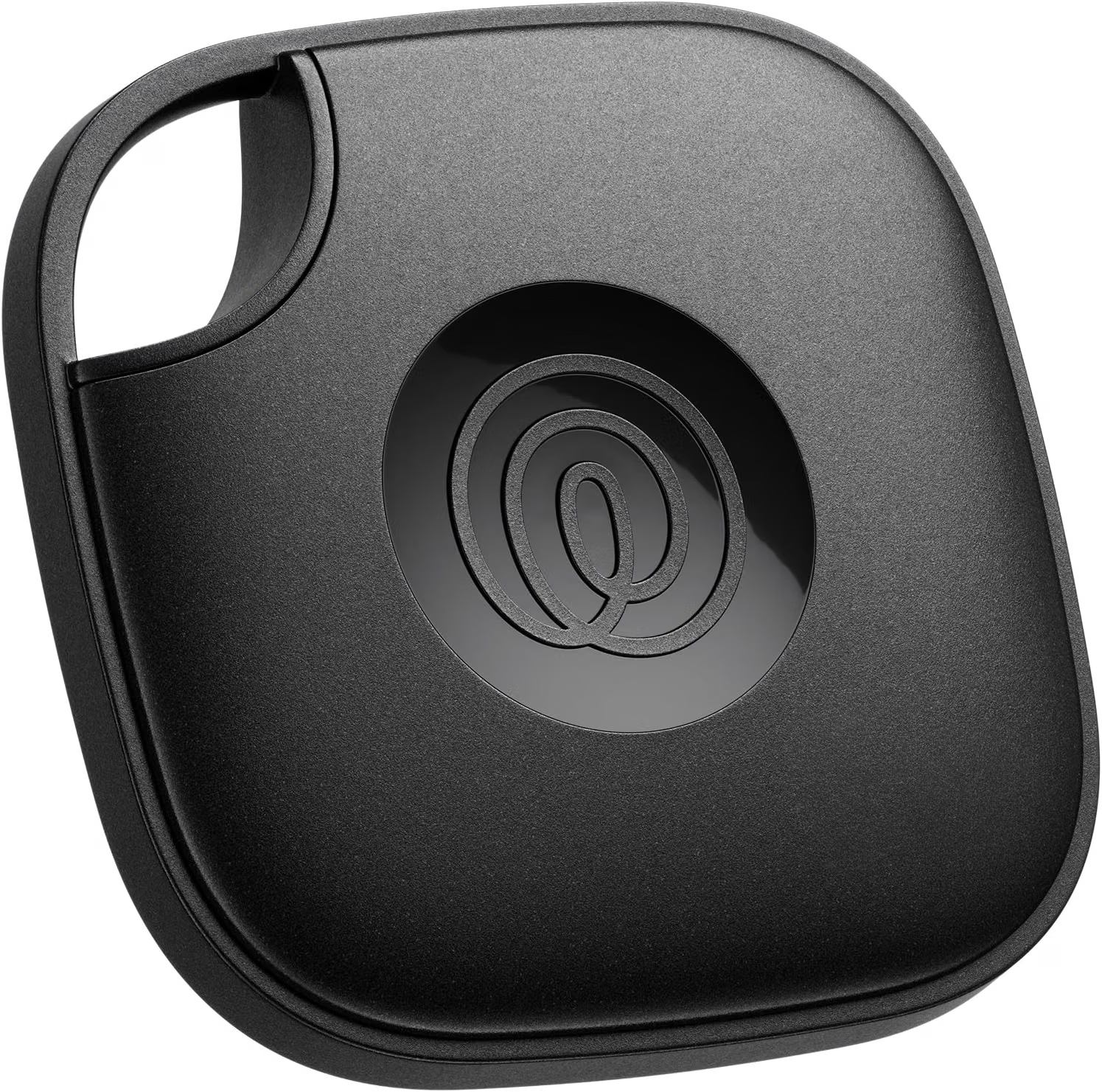
The Life360 Tile Bluetooth Tracker is designed for this purpose. The product is intended for locating everyday belongings such as keys, bags, wallets, and other items that are easy to misplace. It works with both iOS and Android devices through the Tile/Life360 ecosystem, making it different from trackers designed exclusively for one smartphone platform. Life360 currently lists its Tile trackers as compatible with supported iOS and Android devices, with current compatibility requirements including iOS 16 or newer and Android 9 or newer for officially supported devices.
The tracker is based on Bluetooth rather than GPS. This distinction is important. A Tile does not independently determine its position using GPS or provide continuous real-time location monitoring. Instead, it communicates with a compatible device over Bluetooth, and the associated app can show the last known location or help locate the item when the tracker is within Bluetooth range.
The broader Tile and Life360 ecosystem can also provide additional ways to locate an item when it is no longer directly connected to the owner’s phone. Features such as the Tile Network and “Notify When Found” can allow location information to be refreshed when participating devices encounter the lost tracker.
This makes a Bluetooth tracker useful for everyday objects, but it should not be treated as a guaranteed recovery system or as a replacement for a GPS tracker.
This guide explains how the Life360 Tile works, where it can be useful, what its limitations are, how it compares with other tracking technologies, and what users should consider before incorporating it into their everyday organization routine.
What Is the Life360 Tile Bluetooth Tracker?
The Life360 Tile is a compact Bluetooth tracking device designed to help users locate physical belongings.
The basic concept is straightforward:
- Attach the Tile to an item.
- Pair it with a compatible smartphone through the supported app.
- Give the item an identifiable name within the system.
- Use the app when the item is missing.
- If the Tile is within Bluetooth range, use the available locating functions to help find it.
- If it is outside direct range, use supported last-location or network-based features when available.
The Tile does not need to contain a GPS receiver to perform its primary function.
Instead, it relies on Bluetooth communication and the broader Tile network.
Life360 explains that Tile trackers use Bluetooth to connect with the Tile app and that they do not have GPS or real-time location monitoring. The location shown in the app represents where the Tile was located the last time it successfully connected with the user’s device or the supported network.
That design makes a tracker like this particularly suitable for everyday objects.
Keys, wallets, backpacks, luggage, and similar belongings generally do not need continuous GPS monitoring. They simply need to be easier to find when they have been misplaced.
Key Features
Bluetooth Item Tracking
Bluetooth is the core technology behind the Tile.
When the tracker is within the appropriate Bluetooth range of the user’s compatible device, the app can establish a connection with the Tile.
This connection can then be used for locating functions such as making the Tile produce a sound.
The practical range depends on the environment. Life360 currently lists different Tile models with Bluetooth ranges from approximately 250 feet to 500 feet, depending on the model. The current standard Tile model is listed with a range of up to 350 feet.
A published range should not be interpreted as a guarantee that the same distance will work in every environment.
Walls, floors, furniture, metal structures, electronic interference, and the position of the phone and tracker can all influence wireless communication.
For an indoor search, the actual useful range may therefore be different from the maximum published figure.
iOS and Android Compatibility
One of the notable characteristics of the Life360 Tile ecosystem is cross-platform support.
Unlike an iOS-only tracker, the Tile system is designed to work with both supported iPhones and Android smartphones.
Life360’s current compatibility information lists iOS devices running iOS 16 or newer and Android devices running Android 9 or newer among its supported platforms. Specific device support can vary, so users should check the current compatibility list before setup.
This can be particularly useful in households where family members use different smartphone operating systems.
For example, one person may use an iPhone while another uses a Samsung Galaxy device. A cross-platform tracker can make shared item tracking easier without requiring everyone to use the same type of phone.
Item Locator Functions
The Tile can be attached to an object and then represented within the supported app.
When the item is missing, the app can be used to locate it when the tracker is within Bluetooth range.
Life360 identifies several Tile functions, including ringing the Tile from the app, viewing its last known location, and using network-based locating features.
The sound function is particularly useful for objects that are nearby but visually hidden.
A set of keys underneath a sofa cushion is a good example. The keys may be only a few feet away, but finding them manually can still take time.
The tracker can provide an audible clue.
Find My Phone Function
The Tile can also work in the opposite direction.
According to Life360’s documentation, compatible Tile models can use the Tile’s button to ring the user’s phone through a double-press.
This creates a two-way convenience:
Phone → Tile: Use the phone to help find the tagged item.
Tile → Phone: Use the Tile to help locate the phone.
The second function can be particularly useful when the phone has been misplaced somewhere nearby.
Last Known Location
When a Tile is no longer within direct Bluetooth range, the app can retain information about where it was last successfully connected.
Life360 explains that the location displayed is the location where the Tile last successfully communicated with the user’s device or supported Tile network.
This is important because the map should not be interpreted as a continuously updated GPS position.
If a tracker was last detected at a particular location and subsequently moved somewhere without another successful connection, the displayed location may remain unchanged.
Understanding this distinction prevents unrealistic expectations.
Tile Network
The Tile ecosystem can extend beyond the user’s own smartphone.
When the “Notify When Found” feature is enabled, Life360 says that members of the Tile Network can anonymously help update the location of a Tile when their compatible devices encounter it.
This creates a community-based locating system.
For example, a lost bag may be outside the Bluetooth range of its owner’s phone. If another participating device comes within range of the Tile, the network can potentially update its location.
The effectiveness of this feature depends on the presence of participating devices and the circumstances surrounding the lost item.
It should therefore be viewed as an additional locating mechanism rather than a guarantee.
Compact Design for Everyday Belongings
A Bluetooth tracker needs to be small enough that it does not make the tagged object inconvenient to carry.
Tile trackers are designed around common belongings such as keys, bags, and wallets. Life360 specifically describes Tile as a Bluetooth tracker for everyday essentials and lists items such as keys, bags, and wallets among its intended applications.
The physical attachment method depends on the particular Tile model.
The standard Tile model includes a built-in keyring-style attachment point, making it particularly suitable for keys, bags, and other items that can accept a loop or ring.
How It Can Be Used
Finding House Keys
Keys are one of the most straightforward applications for a Bluetooth tracker.
Many people have a consistent routine for entering and leaving their home but may place their keys somewhere different each time.
A Tile can provide an alternative to searching room by room.
If the keys are within Bluetooth range, the user can initiate the locating function and listen for the tracker’s sound.
This is particularly useful when the keys are hidden under clothing, inside a bag, between furniture cushions, or in another nearby location.
Finding a Wallet
Wallets are often misplaced because they are relatively small and may be moved between pockets, bags, desks, and counters.
A tracker can provide another way to locate a wallet.
The physical design should be considered carefully. A standard keyring-style tracker is more suitable for items that can accommodate a loop than for objects where a flat, unobtrusive tracker is required.
For thin items such as wallets, a different Tile form factor, such as a card-style tracker, may be more appropriate.
Tracking a Backpack
A backpack can travel through many environments during the day.
It may go from home to work, school, a gym, a café, or a vehicle.
Attaching a Tile can provide an additional way to identify its location if it is accidentally left behind.
The tracker does not eliminate the need for normal care, but it can provide useful information when memory is uncertain.
Luggage
Travel is another practical application.
A tracker can be attached to luggage before leaving home and then used as an additional way to monitor the bag’s location.
If luggage is separated from the traveler, the Tile ecosystem may provide last-location or network-based information depending on connectivity and available participating devices.
It is important to remember that the Tile is not an official airline baggage-tracking system.
Travelers should still use airline baggage identification and follow the carrier’s procedures if luggage is delayed or missing.
Laptop and Computer Bags
Work bags often contain expensive equipment and important documents.
A Tile attached to the bag can provide another layer of locating information.
The tracker does not protect the contents or prevent theft, but it may help identify where the bag was last detected.
For security-sensitive equipment, users should also use appropriate passwords, device encryption, account protection, and other security measures.
Camera Bags
Photography equipment can be transported between studios, homes, events, and outdoor locations.
A tracker attached to the camera bag can provide a convenient way to monitor the bag itself without attaching individual trackers to every item inside it.
Gym Bags
Gym bags are often left in lockers, vehicles, or changing areas.
A tracker can make it easier to determine where the bag was last detected if it is accidentally left somewhere.
Frequently Misplaced Household Items
A tracker does not have to be limited to keys and bags.
Depending on how it can be securely attached, it may also be useful for:
- Tool bags
- Musical instrument cases
- Travel cases
- Remote-control accessories
- Equipment bags
- Frequently moved household items
- Pet accessories
The main requirement is that the tracker should be attached securely and used in a manner consistent with the manufacturer’s instructions.
Understanding How Tile Location Works
The most important concept to understand is that Tile is not GPS.
Life360 explicitly states that Tile does not provide real-time GPS tracking. Instead, it uses Bluetooth and updates location information when communication occurs with a compatible device or the Tile Network.
Consider a simple example.
You attach a Tile to your backpack.
At home, your phone connects to the Tile. The app therefore knows where the backpack was last detected.
You then leave the backpack at a café.
Once the backpack moves outside the direct Bluetooth range of your phone, your phone can no longer directly communicate with the Tile.
If another compatible device participating in the Tile Network encounters the backpack, the network may update its location.
If no participating device encounters it, the app may continue showing the last known location.
This explains why a Tile should not be treated like a continuously transmitting GPS tracker.
Bluetooth Range and Real-World Conditions
Wireless range specifications can be useful when comparing devices, but they should always be interpreted carefully.
Life360 currently lists the standard Tile model with a maximum range of up to 350 feet, while other Tile models have different stated ranges.
That maximum range is not necessarily the same as the range a user will experience inside a house.
A home may contain:
- Multiple walls
- Concrete floors
- Metal structures
- Furniture
- Electronic devices
- Doors
- Appliances
All of these can affect wireless communication.
Outdoor environments can provide different conditions, but distance and physical obstructions can still matter.
For practical purposes, the tracker should be considered a short-range Bluetooth device with network-assisted locating capabilities rather than a long-distance real-time locator.
Who It May Be Suitable For
iPhone Users
iPhone users can integrate the tracker into a supported Tile/Life360 setup.
The current compatibility requirements should be checked because supported operating-system versions can change. Life360 currently lists iOS 16 and newer for supported iPhones and compatible Apple devices.
Android Users
Android compatibility is one of the useful aspects of the Tile ecosystem.
Life360 currently lists Android 9 or newer among its supported requirements, with specific supported device families identified in its compatibility documentation.
Users should verify their exact phone model before setup.
Mixed-Device Households
A family that uses both Android and iPhone devices can benefit from a tracking ecosystem that supports both platforms.
This can simplify shared access to tracked items.
Frequent Travelers
People who regularly carry luggage, backpacks, equipment bags, or other travel items may appreciate having a tracking layer available.
The Tile can complement traditional luggage tags and travel procedures.
People Who Frequently Misplace Items
The simplest use case is everyday organization.
If keys, wallets, bags, or other possessions regularly disappear around the home, a tracker can provide a systematic way to search for them.
Families Using Life360
People already using Life360 may find the ability to combine people-oriented and item-oriented information useful.
Life360 explains that Tile accounts can be linked to Life360 so Tiles can appear within the Life360 environment.
This can create a more unified view of household members and tracked belongings, subject to the features and account configuration available to the user.
Important Things to Consider
It Is Not a GPS Tracker
This point deserves repeating.
The Tile does not provide independent real-time GPS location monitoring. Life360 explicitly describes Tile as a Bluetooth tracker rather than a GPS tracker.
If continuous real-time location monitoring is required for a particular asset, a dedicated GPS tracking system may be a different category to consider.
Network Coverage Is Not Guaranteed
The Tile Network can potentially help locate a tracker outside the user’s direct Bluetooth range, but it depends on participating devices encountering the lost Tile.
A tracker lost in a busy area may have more opportunities to be detected than one in an isolated location.
The network should therefore be treated as an additional layer rather than a guaranteed recovery service.
Smartphone Compatibility
The user needs a compatible smartphone and supported operating system.
Life360’s current compatibility information should be checked before setup.
Software requirements can change over time, so old compatibility information should not automatically be assumed to remain current.
Internet and Data Connectivity
Some Tile functions can work through Bluetooth without a cellular or Wi-Fi data connection.
Life360 states that a data connection is not required to ring a Tile, view location history, or use the phone-finding function. However, a data connection is required for functions such as receiving updated location data, account creation and activation, sharing, notifications, and several network-based features.
This distinction is useful when troubleshooting.
If the user is standing near the missing Tile, Bluetooth may be enough to ring it.
If the user wants the latest network-based location information, an internet connection becomes more important.
Battery Considerations
Different Tile models use different battery designs.
Life360’s current model documentation lists the standard Tile model with a three-year non-replaceable battery, while the Tile Pro uses a one-year replaceable battery.
Because battery design varies by model and generation, users should verify the exact specifications of the product they own rather than assuming all Tile trackers have interchangeable batteries.
A tracker with a depleted battery cannot perform its normal wireless functions.
Water Resistance
Current Tile models have water-resistance ratings, but the exact rating varies by model.
Life360 currently lists IP68 water resistance for its 2024 Pro, Mate, Slim, and Sticker models.
Users should check the exact model number and manufacturer’s instructions before exposing a tracker to water.
Water resistance should not automatically be interpreted as suitability for prolonged underwater use. Life360 specifically notes that Tiles are not intended for underwater use.
Privacy
Location technology should be used responsibly.
A tracker attached to your own belongings is a straightforward application.
Tracking another person’s belongings without their knowledge can create privacy concerns.
The appropriate use of tracking technology should involve transparency and respect for other people’s privacy.
Do Not Rely on a Tracker Alone for Valuable Assets
A Tile can provide useful location information, but it is not a substitute for physical security.
For expensive electronics, vehicles, professional equipment, or sensitive documents, users should also consider locks, passwords, encryption, insurance, registration, and other appropriate protections.
Security and Personal Safety
If the tracker indicates that a missing item may be at an unfamiliar location, users should consider personal safety before attempting to recover it.
Location information does not necessarily establish who has possession of the item or whether it is safe to approach the location.
A tracker should provide information, not encourage unsafe confrontation.
Life360 Tile vs. GPS Tracker
Bluetooth trackers and GPS trackers solve different problems.
A GPS tracker is designed around location determination using satellite positioning and typically communicates location information through a cellular or other network connection.
A Bluetooth tracker such as Tile is designed around finding nearby everyday objects and using a network of compatible devices to assist when the tracker is outside direct Bluetooth range.
Bluetooth trackers are generally well suited to:
- Keys
- Wallets
- Bags
- Luggage
- Small equipment cases
GPS systems can be more appropriate for:
- Vehicles
- Certain high-value mobile assets
- Applications requiring more continuous location information
The right technology depends on the object and the desired type of tracking.
Life360 Tile vs. Smartphone Location Sharing
Smartphone location sharing is designed primarily around people.
A person can share the location of their phone with another person through supported services.
A Tile serves a different purpose because it can be attached to an object.
A backpack does not have a smartphone to share its location.
A Tile therefore extends the concept of location awareness from people to belongings.
The two systems can coexist rather than replacing one another.
Life360 Tile vs. Traditional Key Finder
Traditional key finders may use sound, radio signals, or simple Bluetooth connections.
Modern Bluetooth trackers can add smartphone integration, last-known location information, and community-based network features.
The additional functionality can be useful when an item is not immediately visible.
However, greater functionality can also mean greater dependence on software, accounts, Bluetooth permissions, and network services.
A simple key finder may be sufficient for someone who only wants an audible signal within the home.
A connected tracker can provide a broader set of locating tools.
Life360 Tile vs. Single-Purpose GPS Devices
A GPS device may offer more extensive location functionality but can also introduce additional requirements such as cellular service, charging, subscriptions, or larger hardware.
A Tile is designed to be a small everyday accessory.
This makes the two categories difficult to compare purely on features. The more useful question is what kind of problem the device needs to solve.
If the problem is “Where did I leave my keys?” a Bluetooth tracker is designed for that situation.
If the problem is “Where is my moving vehicle right now?” a dedicated GPS system belongs to a different category.
Using the Tile With Life360
Life360 and Tile can be integrated.
Life360 explains that users can link their Tile account to Life360 and manage Tiles from within the Life360 environment.
This can be useful for households already using Life360 because tracked belongings can become part of the same general ecosystem.
The integration process involves signing into the Life360 app, selecting the relevant Circle, adding an item, and linking the Tile account when prompted.
Exact menus can change as applications are updated, so users should follow the current in-app instructions rather than relying on older screenshots or guides.
Using the Tile to Find a Nearby Item
When an item is believed to be nearby, the simplest approach is to use the supported app to connect to the Tile and activate its sound.
Life360 also provides a Tile Detector function for compatible situations. The company explains that the detector can show visual feedback as the user gets closer to a connected Tile.
This can be useful when the item is inside a room but hidden from view.
For example, instead of simply walking around listening for the sound, the user can use the available proximity information to narrow the search.
The Tile must be connected and within Bluetooth range for the detector to work.
Finding a Phone With the Tile
The tracking relationship can work in reverse.
If the phone is misplaced nearby, the Tile’s button can be used to initiate the phone-finding function on supported models.
Life360 identifies the double-press phone-finding feature among Tile capabilities.
This can be helpful when the phone has been left somewhere around the house but its location is unknown.
It can also reduce the common situation where someone asks another person to call their phone simply so they can hear it ringing.
Building a Practical Item-Tracking Routine
A tracker becomes more useful when it is integrated into normal habits.
Start by choosing items that are genuinely easy to misplace.
Keys are an obvious choice because they are carried frequently and have a natural attachment point.
Bags are another practical option because they move between locations.
Once the Tile is attached, give it a clear name in the app.
Avoid changing the tracker between different objects unless necessary.
Periodically confirm that the app can see the Tile and check the battery or device status where applicable.
The goal is to make the tracker a background organizational tool rather than something that only gets attention after an item has already disappeared.
Travel Tips
Before traveling, verify that the Tile is active and properly attached.
For luggage, place the tracker somewhere secure where it is unlikely to detach during handling.
Keep the associated smartphone charged.
Make sure the relevant app has the necessary permissions and connectivity.
Remember that network-assisted tracking depends on the availability of participating devices.
Finally, continue using normal travel safeguards such as luggage identification tags and airline procedures.
A tracker can provide additional information, but it should not be the only method used to identify baggage.
Frequently Asked Questions
What is the Life360 Tile Bluetooth Tracker?
The Life360 Tile is a Bluetooth tracker designed to help users locate everyday belongings such as keys, bags, wallets, luggage, and other items.
Does Tile work with both iPhone and Android?
Yes. The Tile/Life360 ecosystem supports compatible iOS and Android devices. Life360 currently lists iOS 16 or newer and Android 9 or newer among its compatibility requirements.
Is Tile a GPS tracker?
No. Life360 states that Tile does not have GPS or real-time location monitoring. It uses Bluetooth and supported network-based locating features instead.
How does Tile find a lost item?
When the Tile is within Bluetooth range, the app can connect to it and activate locating functions such as playing a sound. If it is outside direct range, the system can use its last known location and, where available, the Tile Network to update its location.
Can Tile find my phone?
Supported Tile models can use a double press of the Tile’s button to help locate the associated phone.
Does Tile need Wi-Fi or mobile data?
Not for every function. Life360 states that Bluetooth-only functions such as ringing the Tile, viewing location history, and finding the phone do not require a data connection. Current location updates, notifications, account setup, sharing, and several other features do require cellular or Wi-Fi data.
What is the Bluetooth range?
Range depends on the Tile model. Life360 currently lists approximately 250 to 500 feet across its current Tile models, with the standard Tile listed at up to 350 feet.
Actual performance can be lower depending on walls, interference, device placement, and the surrounding environment.
Can Tile track an item in real time?
No. Tile is not designed for continuous real-time GPS tracking. The app reports the last known location and can receive updates when a supported device or Tile Network interaction occurs.
Can I use Tile on luggage?
Yes. Luggage is one of the intended types of items for Bluetooth tracking. Life360 specifically describes Tile as suitable for everyday items including luggage.
Can I use Tile for keys?
Yes. Keys are one of the most common applications for a compact Bluetooth tracker.
Can Tile help me find an item inside my house?
Yes, when the Tile is within Bluetooth range. The app can be used to connect to the tracker and play its sound.
What is the Tile Network?
The Tile Network allows participating devices to help update the location of a lost Tile when they encounter it. Life360 describes this as an anonymous network-based locating feature.
Is the Tile Network guaranteed to find a lost item?
No. Its effectiveness depends on whether participating devices encounter the lost Tile and are able to update its location.
Can I share a Tile with another person?
Life360’s Tile documentation identifies Tile sharing as a supported feature. A data connection is required for sharing.
Does Tile require a subscription?
Basic Tile tracking functionality is available through the Tile/Life360 ecosystem, while some additional Life360 services or membership features may have separate requirements. Users should check the current terms and feature availability before subscribing to anything.
How long does the battery last?
Battery life depends on the exact Tile model and generation. Life360’s current standard Tile is listed with a three-year non-replaceable battery, while the Pro is listed with a one-year replaceable battery.
The exact model should therefore be verified rather than assuming all Tile products use the same battery system.
Is Tile water-resistant?
Current Tile models have water-resistance ratings, but the rating varies by model. Life360 notes that its current models can withstand certain water exposure but are not intended for underwater use.
Can I use Tile to track a person?
Tile is designed primarily for locating belongings. Tracking people raises additional privacy and consent considerations. It should not be used to secretly monitor another person.
Can Tile replace a GPS tracker?
No. Bluetooth trackers and GPS trackers are designed for different purposes. A GPS tracker may be more appropriate when continuous or independent location monitoring is required.
What happens if my phone is out of range?
The phone may no longer communicate directly with the Tile. The app can retain the last known location, and network-based features may provide a newer location if a participating device encounters the Tile.
Can I use several Tile trackers?
Yes. The Tile ecosystem is designed to support multiple tracked items, allowing users to associate different trackers with different belongings.
Conclusion
The Life360 Tile Bluetooth Tracker is designed to solve a simple but recurring problem: finding everyday belongings that have been misplaced.
Its approach is based on Bluetooth rather than GPS. When the tracker is within Bluetooth range, a compatible smartphone can communicate with it and provide functions such as playing a sound to help locate the item. When the tracker is outside direct range, last-known-location information and the broader Tile Network can provide additional locating possibilities.
The ability to work across supported iOS and Android devices also makes the Tile ecosystem practical for households where people use different smartphone platforms. Current Life360 documentation lists iOS 16 or newer and Android 9 or newer among supported requirements, although users should verify their exact device and software before setup.
For everyday use, the tracker can be attached to keys, bags, luggage, wallets, backpacks, equipment cases, and other belongings that are easy to misplace. The phone-finding function adds another useful dimension because the Tile can also help locate a nearby phone on supported models.
There are important limitations, however. Tile is not a real-time GPS tracking system. Its location information depends on Bluetooth connections and, when applicable, interactions with the Tile Network. A tracker outside the user’s range may continue showing its last known location until another supported device updates it.
Battery design, smartphone compatibility, Bluetooth range, internet connectivity, physical attachment, and environmental conditions should all be considered as part of the setup. Current Tile models also differ in battery type, range, size, volume, and water-resistance specifications, so users should verify the exact model rather than assuming that every Tile has identical characteristics.
Privacy is another important consideration. A Bluetooth tracker is most straightforward when used for personal belongings or with appropriate knowledge and consent when belongings are shared. It should not be treated as a covert monitoring device.
Ultimately, a Bluetooth tracker is best understood as an additional layer of organization. It cannot prevent an item from being lost and cannot guarantee that a missing possession will be recovered. What it can do is provide useful information and a structured way to search when memory alone is not enough.
For people who regularly misplace keys, bags, luggage, or other everyday belongings and want a tracking system that works across supported iOS and Android devices, the Life360 Tile provides a combination of Bluetooth locating, audible alerts, last-location information, phone-finding functionality, and network-assisted tracking within the capabilities of its ecosystem.
Leave a Reply